

Airtable AI for Developers Unlock Smarter Product Building
Overview
Why Airtable AI matters for development teams today
In 2026, making things faster and smarter is key for any team building new products. That’s where Airtable AI comes in. Think of it as a smart helper for your data that can do a lot more than just keep things organized. For developers, engineering leaders, and product builders, Airtable AI means you can use the power of artificial intelligence right inside your Airtable bases.

This helps your team build new features and improve old ones much more quickly.
Airtable AI helps solve many common problems product teams face. It can take away the boring, manual work, like sorting through lots of information or writing the same things over and over. By adding AI to your data, you can make smarter decisions, automate tasks that used to take hours, and even create new, helpful tools. This means less time wasted and more time spent on important, creative work. Airtable’s core strength lies in its ability to manage data, and its Web API allows developers to connect this data with other systems and AI tools, building powerful integrations for custom needs
This guide is for you if you’re a developer, engineering leader, or product builder looking to make your work easier and your products better. You’ll learn how Airtable AI can fit into your projects, what different parts of Airtable AI can do, and how to pick the right tools for your specific needs. We’ll show you how to set up and use Airtable AI so your team can build amazing things, faster than ever. It’s all about making your databases smarter and more powerful, fitting right into the world of generative AI platforms that are changing how we work.
If you want to stay updated on how AI is changing the world of development, we recommend you subscribe.
The AI Newsletter Worth Reading
What Airtable AI is (technical overview for devs)
For developers, understanding Airtable AI means looking at how its core parts work together. At its heart, Airtable is a flexible database. It uses tables, fields, and records to keep data organized. Airtable AI builds on this by adding smart features directly into your data. This lets you use artificial intelligence without needing to be an AI expert yourself.
Airtable’s main way to connect with other tools is through its Web API. This API follows simple rules, like a standard REST API. It uses JSON for sending and receiving data, which is easy for most programming languages to understand. Developers can use this API to create, read, update, or delete records in an Airtable base. You can also get an API key to help manage these connections, as shown in videos about how to get your Airtable API Key (2026). This means you can build custom tools or connect Airtable to your existing software. For example, you might create an app that feeds data into Airtable and then uses Airtable AI to analyze it.
When you bring AI into Airtable, you’re using smart fields or blocks that can do things like:
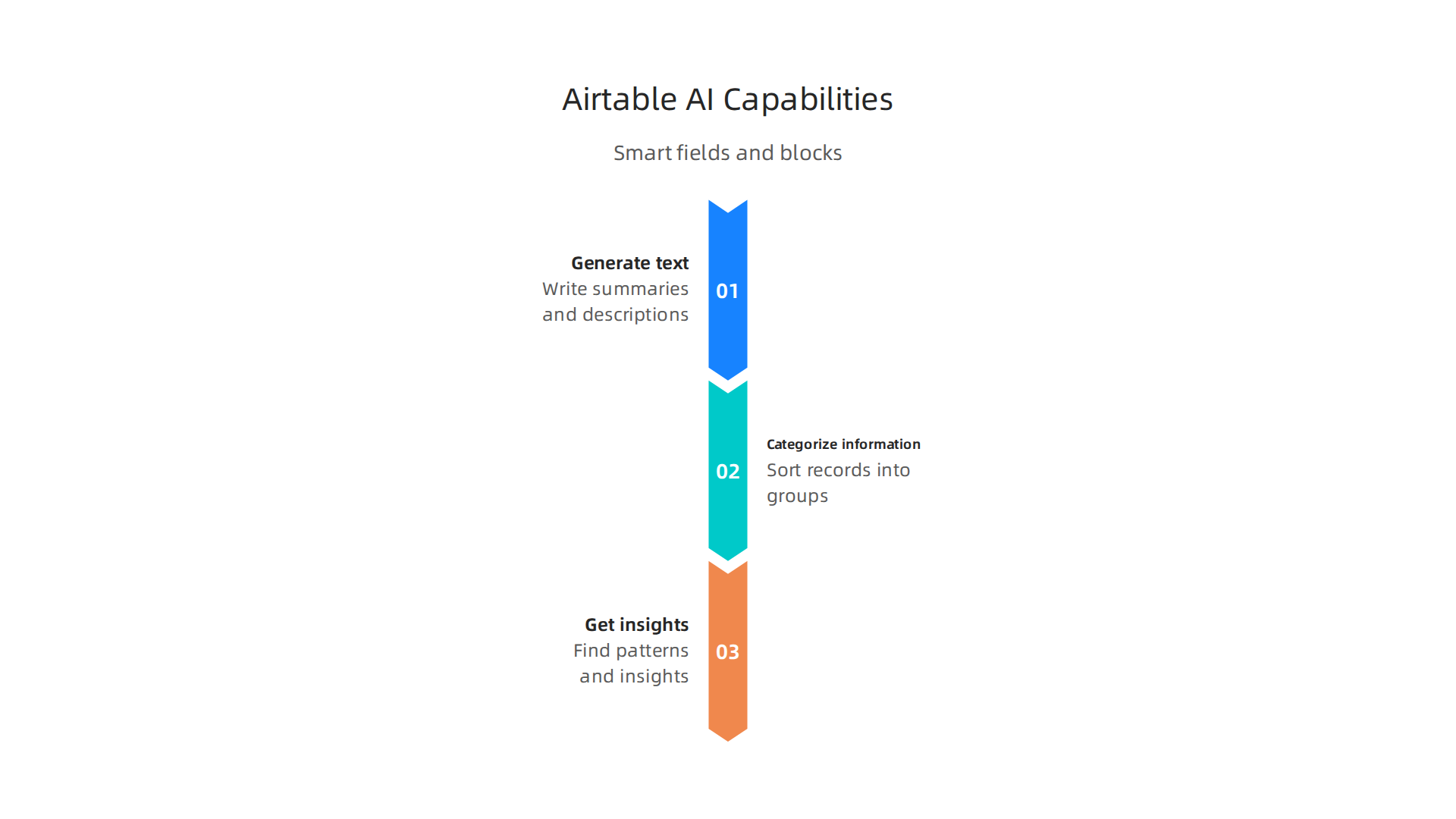
- Generate text: Automatically write summaries, descriptions, or answers based on your data.
- Categorize information: Sort records into groups without manual effort.
- Get insights: Find patterns or important details from large amounts of data.
These AI features work right within your bases. You can set them up to trigger when new data comes in or when certain conditions are met. This helps teams save time on tasks that used to be done by hand.
Compared to other embedded AI services, Airtable AI aims to be very easy to use within its own platform. While other generative AI platforms might offer more complex AI models, Airtable focuses on making practical AI tasks simple for its users. For instance, tools like Softr offer an AI platform for building full-stack apps, similar to how Airtable helps create useful apps from data. Other platforms like Baserow offer open-source options for teams who want to host their own databases with AI features, as highlighted in guides about open source Airtable alternatives.
The main difference is that Airtable AI is deeply built into the Airtable experience, letting you add intelligence directly to your data structures. This means developers can spend less time on complex AI setup and more time on building great products. If you are looking to integrate Airtable with many different systems, knowing how to connect to various APIs is key. You can learn more about how to connect Airtable to any API in this 2026 Guide on YouTube.
Key Airtable AI features developers should evaluate
When you’re a developer looking at Airtable AI, it’s smart to check what special features it has. Think of it like a list of tools you might need. The right tools make your work easier and your projects better.
What features should be on your checklist?
First, look at automation. Airtable AI can do many tasks by itself. For example, it can sort new data or write quick summaries. This helps speed up common jobs. Developers can set up these automations to run when certain things happen in your database. You can build AI systems on top of Airtable to automate tasks, as shown in guides for building AI systems with N8N on Airtable.
Next, consider natural-language interfaces. This means you can "talk" to your data using everyday language. For example, you might ask Airtable AI to "summarize all customer feedback from last month." This makes it much simpler to get insights without writing complex code.
Metadata extraction is another key feature. Metadata is like "data about data." Airtable AI can look at your information and pull out important details automatically. For example, it might find keywords in a long piece of text or identify people’s names from customer notes. This can be very useful for organizing large datasets.
Finally, think about integration hooks. These are ways Airtable AI can connect with other tools or programs you use. Good integration hooks mean you can link Airtable AI into your existing workflow easily. For example, you might use an integration to update a duda website or send data to another system. While Airtable AI focuses on its platform, other tools like Make and Zapier also help in automating Airtable with external AI models.
How developer-friendly is Airtable AI?
For developers, it’s also important how easy a tool is to use. We call this "developer ergonomics."
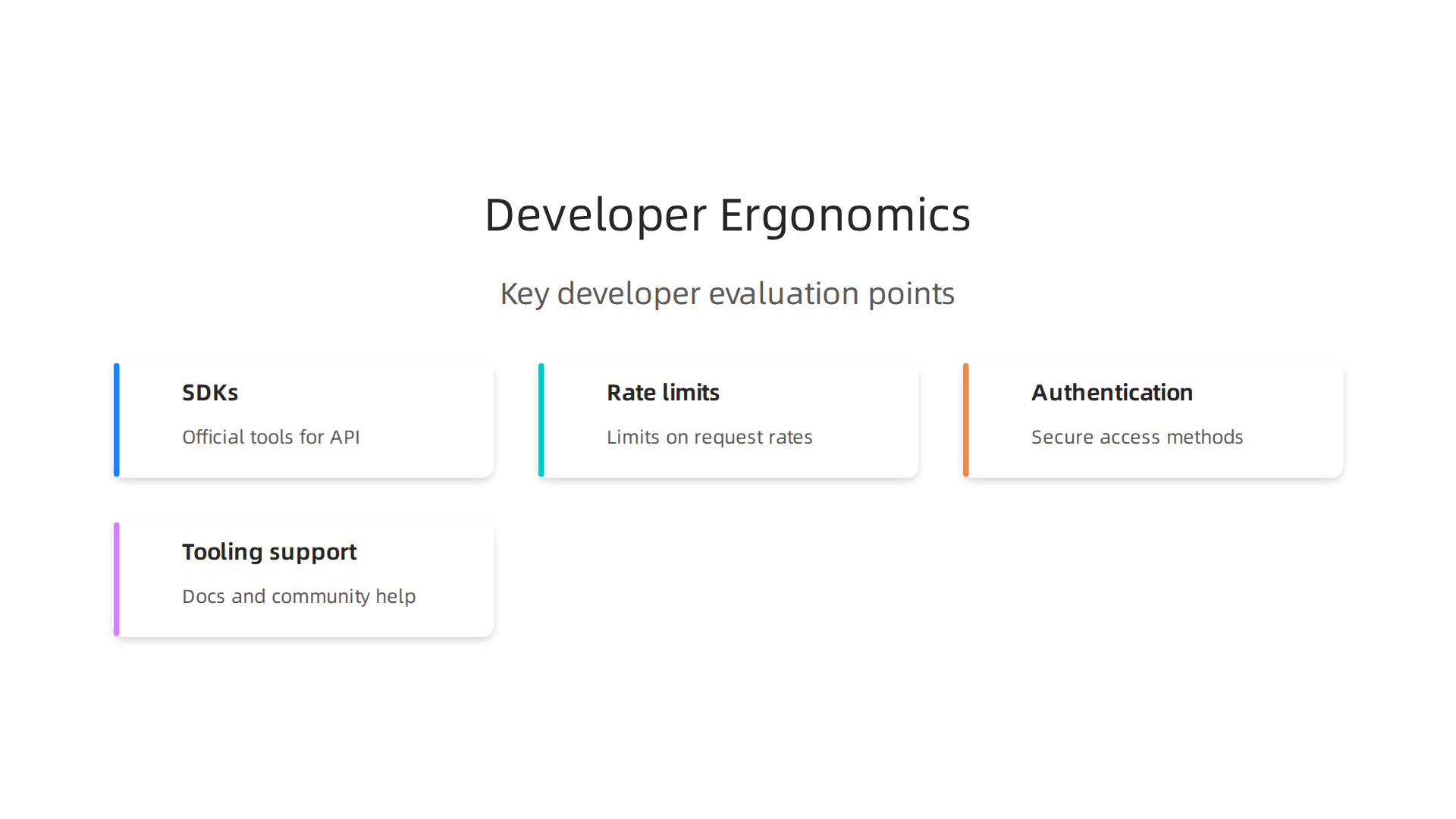
- SDKs (Software Development Kits): Airtable offers official tools and libraries to help you build with its API. This makes it simpler to connect your code to Airtable. You can find out more in the Airtable Web API introduction.
- Rate limits: All APIs have rules about how many requests you can make in a certain time. Airtable has a limit of 5 requests per second for each base. Knowing these limits helps you design your applications so they don’t get blocked. You can see this detail from Airtable APIs.io Providers.
- Authentication: This is about keeping your data safe. Airtable uses secure ways to check who is trying to access your data, like personal access tokens or OAuth. You can learn about these methods in the Airtable API Reference.
- Tooling support: This includes things like good documentation, community forums, and other help. Airtable has strong developer documentation that shows you how to use their API step-by-step.
Understanding these features and how developer-friendly Airtable AI is can help you decide if it’s the right tool for your next project. It’s all about making sure the tools you pick fit your needs for efficiency and growth. In fact, knowing how to evaluate the smartest AI in 2026 is a skill every developer should have. To keep learning about new AI tools and insights, remember to check out "The Deep View Newsletter". It provides clear, daily AI updates. Get clear daily AI updates from The AI Newsletter Worth Reading.
When you build with Airtable AI, you don’t just use it by itself. You connect it with your other tools and systems. We call these ways of connecting "integration patterns."

Think of it as how you fit Airtable AI into your bigger software puzzle. Making smart choices here helps your apps work smoothly and use AI in the best ways.
Common ways to use Airtable AI with your systems
There are a few main ways developers connect Airtable AI with other parts of their tech.
Backend augmentation
This is like having Airtable AI work behind the scenes to make your data smarter. For example, if you have a list of customer details, Airtable AI can add more information to each entry, like summarizing their feedback or finding key interests. This uses Airtable AI to enrich your data without users directly seeing the AI at work. It’s a great way to use generative AI platforms to make your backend data much more useful.
Event-driven automation
This pattern means Airtable AI acts when something specific happens. For instance, when a new record is added to Airtable, it could trigger an AI process. This process might then write a summary, tag keywords, or send data to another system. Tools like n8n, Make, Zapier, and MindStudio help you build these workflows. They let you connect Airtable to AI models without writing lots of code, as shown in guides for connecting AI agents to Airtable for automated data workflows. You can even set up steps to create a new Airtable base and design tables for these AI-enriched records, as detailed in a step-by-step guide to automating data.
Front-end assistants
Here, Airtable AI helps your users directly within the apps they use. Imagine a chatbot on a website that can answer questions based on data stored in Airtable, or an AI helper that suggests website ideas. This uses Airtable AI to power smart features that people interact with every day. For example, you might build an Airtable AI agent that helps with customer service, making your duda website more interactive. You can learn how to build an Airtable AI Agent using platforms like StackAI.
Data pipelines and sync strategies
Moving data between Airtable and your existing systems is very important. This is called a data pipeline. You need clear rules for how data goes into Airtable, how it changes, and how it comes out to other places.
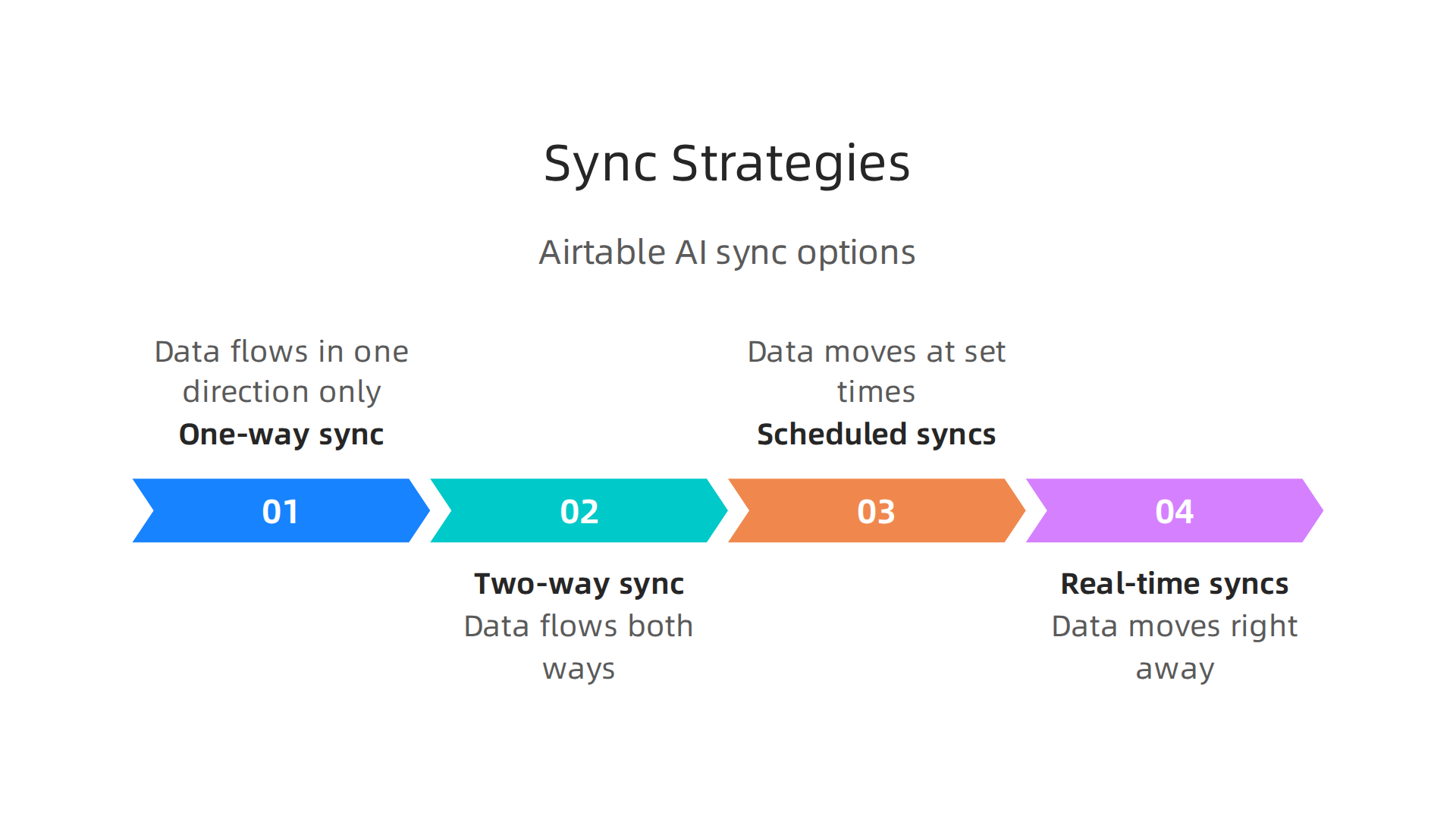
- One-way sync: Data flows in one direction, for example, from your main database to Airtable for AI processing, but not back.
- Two-way sync: Data can flow both ways, meaning changes in Airtable can update your other systems, and vice-versa. This needs careful planning to avoid mistakes.
- Scheduled syncs: Data moves at set times, like once an hour or once a day. This is good for tasks that don’t need instant updates.
- Real-time syncs: Data moves right away as soon as a change happens. This is often done using "webhooks" or event-driven methods we talked about earlier.
When building these pipelines, you might use different tools to help connect everything. Understanding how to choose the right AI tools for developers can help you set up these connections effectively. Also, considering generative AI tools for developers in 2026 can help you pick the best solutions for boosting productivity.
Using these integration patterns helps you make Airtable AI a powerful part of your entire tech setup, leading to smarter applications and smoother workflows.
Using these smart ways to connect Airtable AI with your other systems leads to better apps and smoother work. Now, let’s look at some real examples of how developer teams are putting Airtable AI to work in 2026.
Practical use cases and templates for developer teams
For developers, Airtable AI isn’t just a helper. It’s a tool that can change how everyday tasks are done, making things faster and smarter. It can do everything from helping with code to sorting customer requests.
Smart assistants for code and tasks
Imagine having a smart assistant built right into your workflow.
- Code Assistants: While Airtable AI itself doesn’t write code, it can manage the data that powers coding assistants. For example, it can keep track of user requests or bug reports, then feed this information to other generative AI platforms that help developers write code or fix problems. This means less time searching for details and more time building.
- Ticket Triage: Dealing with many support tickets or bug reports can be slow. Airtable AI can help by reading incoming tickets, figuring out what they are about, and sending them to the right team members. This is like having a super-fast helper that sorts everything out, making sure important issues get seen quickly. You can even set up tasks to automatically update ticket statuses using tools like n8n, as detailed in a Full Tutorial on Building AI Systems on top of Airtable with N8N.
Creating content with Airtable AI
Airtable AI can also be great for creating new content automatically.
- Content Generation for Apps: If you’re building apps or websites, Airtable AI can generate ideas for content. Think about creating product descriptions, blog post outlines, or even fresh [website ideas] for a new [duda website]. This can save a lot of time for marketing and content teams, allowing developers to focus on building the features that matter most. Airtable AI can even help suggest the [best AI presentation maker] to use for showing off these new content ideas.
- Automation Workflows: Many developer tasks involve repeating steps. Airtable AI can automate these workflows. For example, when a new project idea is added to Airtable, the AI can automatically create a summary, assign it to a team, and even schedule follow-up tasks. This cuts down on manual work and helps teams keep everything moving smoothly.

Learn more about making these processes work efficiently with a Complete Guide to Airtable Automation (2026).
Getting started: templates and testing
Developer teams don’t have to start from scratch. Airtable offers templates and examples that teams can use to begin their journey with Airtable AI. These starter kits are great for:
- Validating Ideas: Teams can use these templates to quickly test if Airtable AI can solve a specific problem in their environment. This helps them see the benefits without a huge time investment.
- Learning Best Practices: The templates often show good ways to set up data, create automation rules, and use AI features effectively. This helps developers learn fast.
It’s important to remember that using Airtable AI can also save money and engineering time. With many AI models available, choosing the right approach is key to keeping costs down while getting good quality results, as explained in a Complete Guide to Airtable AI. For developers looking to make their work faster and smarter, using AI Productivity Tools for Developers like Airtable AI is a big step forward in 2026.
Staying up-to-date with the latest in AI is important for every developer. Check out The AI Newsletter Worth Reading for clear daily AI updates that can help you keep pace with this fast-changing field.
While using tools like Airtable AI can make your work faster and smarter, it is very important to also think about security and how your data is handled. Keeping information safe and private is key, especially when dealing with powerful AI tools in 2026.
Security, compliance, and data handling best practices
When you use Airtable AI, knowing how your data is protected helps you use it with confidence. Airtable takes many steps to ensure security and follows important rules.
Airtable’s commitment to security
Airtable has earned major security badges. These include SOC 2 Type 2, ISO 27001, and ISO 27701 certifications. These mean they follow strict rules to protect your information, much like a trusted bank protects your money. You can learn more on their official Trust & Security page. Airtable also keeps your data safe by encrypting it, which is like putting it in a secure, locked box whether it’s moving or just stored.
Where your data lives: Data residency
Knowing where your data is stored is important for meeting privacy rules. By default, Airtable keeps your data in the United States. However, for larger companies that need to follow specific rules, especially in Europe, Airtable offers the option to store data within the EU. This helps make sure your data stays in the right place according to local laws, as noted in a security overview for journalists by Airtable Security Rating for Journalists.
Handling private information and AI training
One big concern with any AI tool is what happens to your personal information, or PII. Airtable has made it clear that customer data is not used to train its AI models. This is a very good thing because it means your sensitive business data stays private and is not shared to make the AI smarter. This commitment helps businesses meet privacy laws like GDPR, as highlighted in the Airtable Review 2026 Compliance Audit.
Third-party connections and data sharing
Sometimes, Airtable AI might work with other tools, like different generative AI tools for developers in 2026 that help create content or write code. When you connect Airtable AI to these other platforms, it’s smart to check their security rules too. This helps ensure that sensitive data only goes where it should and stays protected across all your connected systems.
Recommended controls to lower risks
To keep your Airtable AI setup as safe as possible, here are some good practices for developer teams:
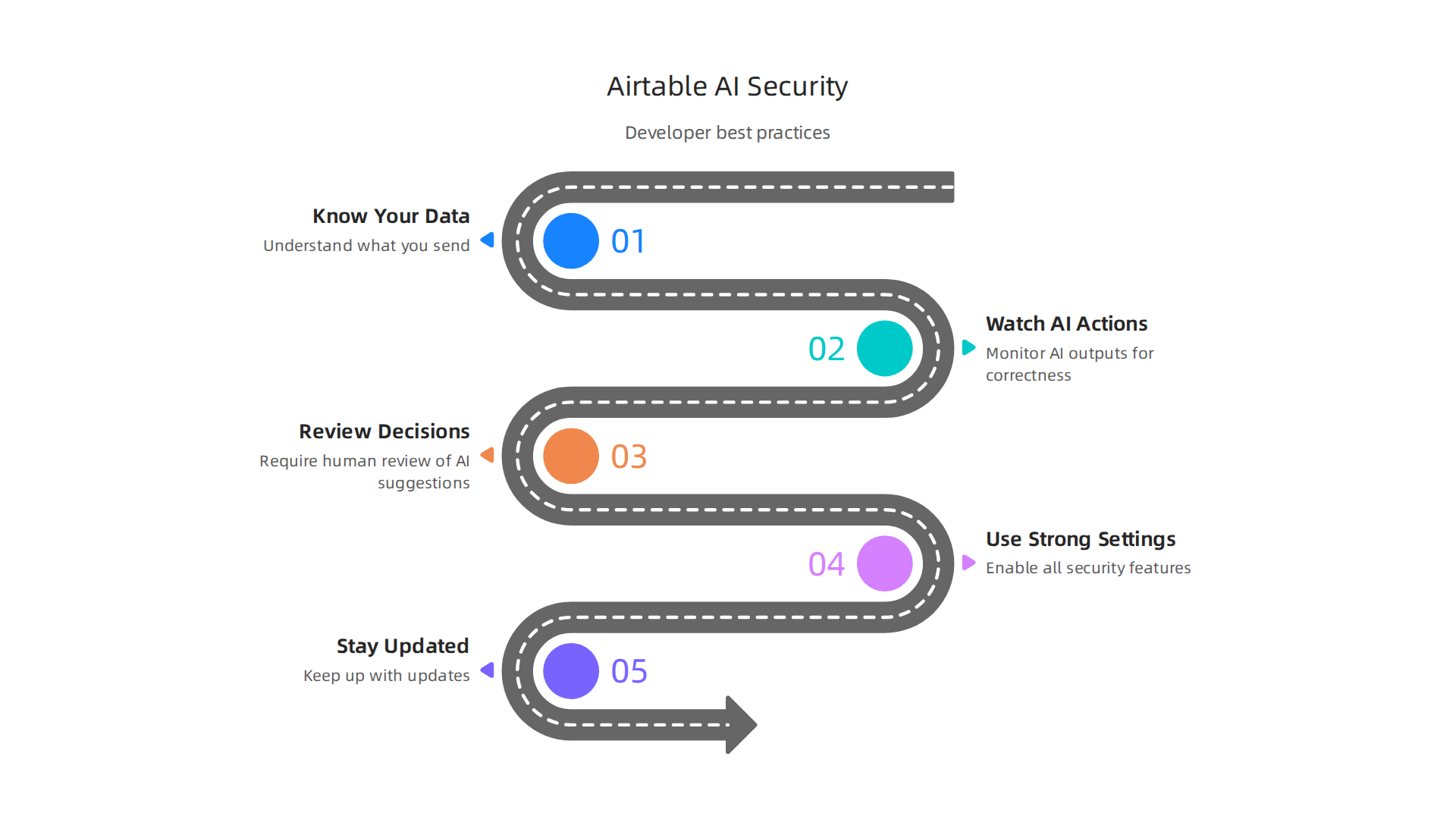
- Know Your Data: Always understand what kind of information you are putting into Airtable AI. Try to limit very sensitive data if it’s not truly needed.
- Watch AI Actions: Set up ways to monitor what the AI is doing. This is like having a watchful eye to make sure everything works correctly and securely. You can find more tips in the AI agent security: 2026 checklist.
- Review Decisions: For important jobs, have a human look over what the AI suggests before it takes action. This adds an important layer of safety.
- Use Strong Settings: Always turn on all available security features, like two-step verification, to keep accounts safe.
- Stay Updated: Keep learning about new security updates for Airtable and any other services you use. Understanding How Tech Works In 2026: Understanding AI Developer Tools can help you stay current.
After ensuring your data is safe with Airtable AI, the next big steps are thinking about how fast it works and what it costs. Just like knowing your car is safe, you also want to know how well it drives and how much gas it uses. This helps you plan better and avoid surprises.
Performance, limits, and cost considerations
When using Airtable AI for your work, it’s good to understand how quickly it gives answers, how many tasks it can handle, and any limits on its use. This is called performance. For developers, a fast and smooth experience with Airtable AI means tasks get done quicker and users are happier. Airtable’s tools for developers allow for many requests, helping to keep things moving efficiently even when lots of people are using it at once, offering more requests per second compared to some other platforms Airtable vs Notion 2026: 2.5x Price Gap and 10x Integrations [Tested].
Understanding how costs add up
Knowing the cost for Airtable AI is important so you can plan your budget, especially as you use it more. Airtable AI often works using a credit system. For example, in 2026, each editor on certain plans gets a certain number of AI credits each month for free, which is like having a set amount of tokens for AI tasks Airtable Review 2026: AI Database & Work OS Unpacked. Once you use up these free credits, you will start paying for more.
The pricing for Airtable itself can change quickly, and user reviews sometimes point out that costs can grow fast if you have many users, due to how it charges per person Airtable Reviews 2026: What 7800+ Users Actually Think. When you are scaling up your use of Airtable AI, forecasting expenses means looking ahead to see how much you might spend. Many businesses find smart ways to use Airtable AI that actually save them money compared to other general AI solutions, sometimes cutting costs by 40-65% What I Learned Running Airtable AI Across Three Regions ….
To make the best choices for your team, you should consider both how well a tool performs and its cost. This is part of wisely selecting AI software development tools. Thinking about how to get the best return on your investment from these tools is key. If you want to dive deeper into making smart choices about AI tools that boost how much work your team gets done, you can read more about AI productivity tools for developers deliver measurable ROI and faster output. Staying informed about how these generative AI platforms work helps you use them more effectively.
To keep up with all the fast changes in AI, make sure you’re getting the latest insights.
Get clear daily AI updates from The AI Newsletter Worth Reading.
While staying updated on the newest AI tools is really important, sometimes the best choice isn’t just one tool. It’s knowing when a different one might fit your needs better. Let’s look at situations where other tools could be a good choice instead of Airtable AI, and how to pick the right one.
Alternatives and when to choose Airtable AI
When you pick an AI tool, you need to think about a few things beyond just its price and speed.

These include how much control you have over your data, how well the tool can connect with others (extensibility), how quickly you can get your project running (speed to production), and how easy it is for developers to use (developer ergonomics). By looking at these points, you can make smart choices about your AI software development tools.
Sometimes, other tools might be a better fit than Airtable AI. Here are some examples:
- For building AI apps with special data storage: If your main goal is to build AI apps that need to store unique data like "embeddings," tools like Supabase might be a better choice. Supabase is often recommended for this kind of AI work, while Airtable AI shines at using AI to look at business data Supabase vs. Airtable: AI Analysis (2026).
- For apps with many outside users: If you’re building an app that a lot of external users will access, Glide can sometimes be cheaper than Airtable, depending on how many users you have and what plan you choose Airtable vs Glide: AI Analysis (2026) – Trakkr.
- For full control over your data: If you need to host your data on your own servers for total control and security, open-source options like Baserow or NocoDB are strong Airtable alternatives. Baserow, for instance, lets teams host their database on their own servers for full data control 15 best Airtable alternatives for teams ready to scale in 2026. You can also find other options like Teable for open-source needs 7+ Best Open Source Airtable Alternatives in 2026.
- For building full apps without code: Tools like Softr and Zite are built to help you make complete apps without writing code, and often include their own AI builders 9 best Airtable alternatives for 2026: Ranked and compared. You can find some other useful generative AI tools for developers that boost productivity.
- For project management: If your main need is managing projects and tasks, tools like monday AI Work Platform or ClickUp are often seen as top alternatives
Top 10 Airtable Alternatives & Competitors in 2026 | G2.
Even with these alternatives, Airtable AI is still a fantastic choice for many teams. It’s especially good when you need a flexible database that has AI features built right in. It can help you analyze your business data and build quick, internal tools. Many teams find that using Airtable AI can save them money compared to other general AI options. Choosing the right AI tool means looking at your specific project needs and how each tool can help you reach your goals. Understanding how tech works in 2026 understanding AI developer tools can really help in making these decisions.
Summary
This article explains how Airtable AI embeds generative intelligence directly into Airtable bases to help developers, engineering leaders, and product builders move faster and reduce manual work. It covers the technical foundations—Airtable’s Web API, SDKs, rate limits, and authentication—then walks through key AI features such as text generation, categorization, metadata extraction, and natural-language interfaces. You’ll find practical integration patterns (backend augmentation, event-driven automation, front-end assistants), guidance on designing data pipelines and sync strategies, and concrete use cases like ticket triage and content generation. The guide also addresses security and compliance (data residency, PII handling, certifications), performance and cost considerations, and when alternatives may be a better fit. After reading, you’ll know how to evaluate Airtable AI, plan integrations, protect data, control costs, and pick templates to prototype quickly.