

AI Developer Tools 2026 How Developers Are Adopting and Choosing What Works
Overview
Introduction
You are a developer in 2026. You open your laptop and see a flood of new AI tools. There are coding assistants, agent frameworks, and automation platforms. Every week a new one launches. It is exciting. But it is also confusing. Which tools actually deliver real productivity gains?
The AI developer tools market has grown faster than almost any other technology market. Recent surveys show that 84% of developers now use or plan to use AI tools in their workflows, as detailed in the AI Tools Statistics 2026 report. GitHub Copilot alone has 20 million users. But only 29% of developers fully trust the output from these tools. That is a big trust gap.
So what is going on? Developers face a paradox of choice. More tools than ever, but unclear which ones are worth adopting.

Many teams jump into new tools without understanding the technology background behind them. They do not consider how the tools integrate with their existing stacks, how they handle security, or whether they actually improve velocity.
To make informed decisions, you need a solid understanding of the definition of technology in this context. That means knowing how AI models work, what data they use, and where they fit into your development lifecycle. It means looking beyond the hype and focusing on measurable outcomes.
If you are just starting to evaluate AI developer tools, check out our guide on AI productivity tools for developers.
It covers what to look for and how to measure real return on investment.
Our goal with this article is to give you that clarity. We will explore the current landscape, the key trends, and the tools that are actually moving the needle. If you want to stay updated on the latest developments without the noise, we suggest subscribing to The AI Newsletter Worth Reading. It provides clear daily updates so you can focus on what matters.
Let us get started.
The State of AI Developer Tools Adoption: 2026 Landscape
You sit down at your desk. Your team is asking about the latest AI coding assistant. But what do the real numbers say? In 2026, more than half of professional developers use AI tools daily. According to the AI coding assistant adoption trends, 51% of professional developers now rely on AI daily, and 84% use or plan to use them. That is a big shift from just two years ago.
The growth is not even across the board. Enterprise teams are adopting AI tools faster than startups. Why? Compliance and security requirements push big companies to standardize quickly. They need tools that fit their existing approval processes. Smaller teams often move slower because they are still figuring out the basics. A report on enterprise AI adoption statistics shows that over 78% of organizations now use generative AI in at least one business function, with large companies leading the charge.
When you look at where AI is being used, code generation and testing are the most common categories. These are the easy wins. You type a prompt, and the tool writes your unit tests or suggests a function. Developers see immediate time savings. But a new wave is coming. MLOps tools and deployment automation are emerging fast. These tools require a deeper understanding of the technology background behind them. You cannot just copy and paste. You need to know how models behave in production, how data flows, and where security gaps hide.
Keeping up with Menlo Park news and reports from outlets like Liveview Technologies can help you spot these new tools early. But without a clear definition of technology in the context of AI development, it is easy to chase hype instead of value. That is why understanding the fundamentals matters.
If you want to get a broader view of how different AI models compare, check out our guide on AI model comparison 2026. It breaks down the strengths and weaknesses of the major players so you can make smarter adoption choices.
The landscape is moving fast. But the teams that invest time in understanding the technology background will be the ones who actually get the productivity gains.
Key Technology Drivers Behind the Surge
So what is the technology background that is pushing adoption forward? Three major shifts define the 2026 landscape.
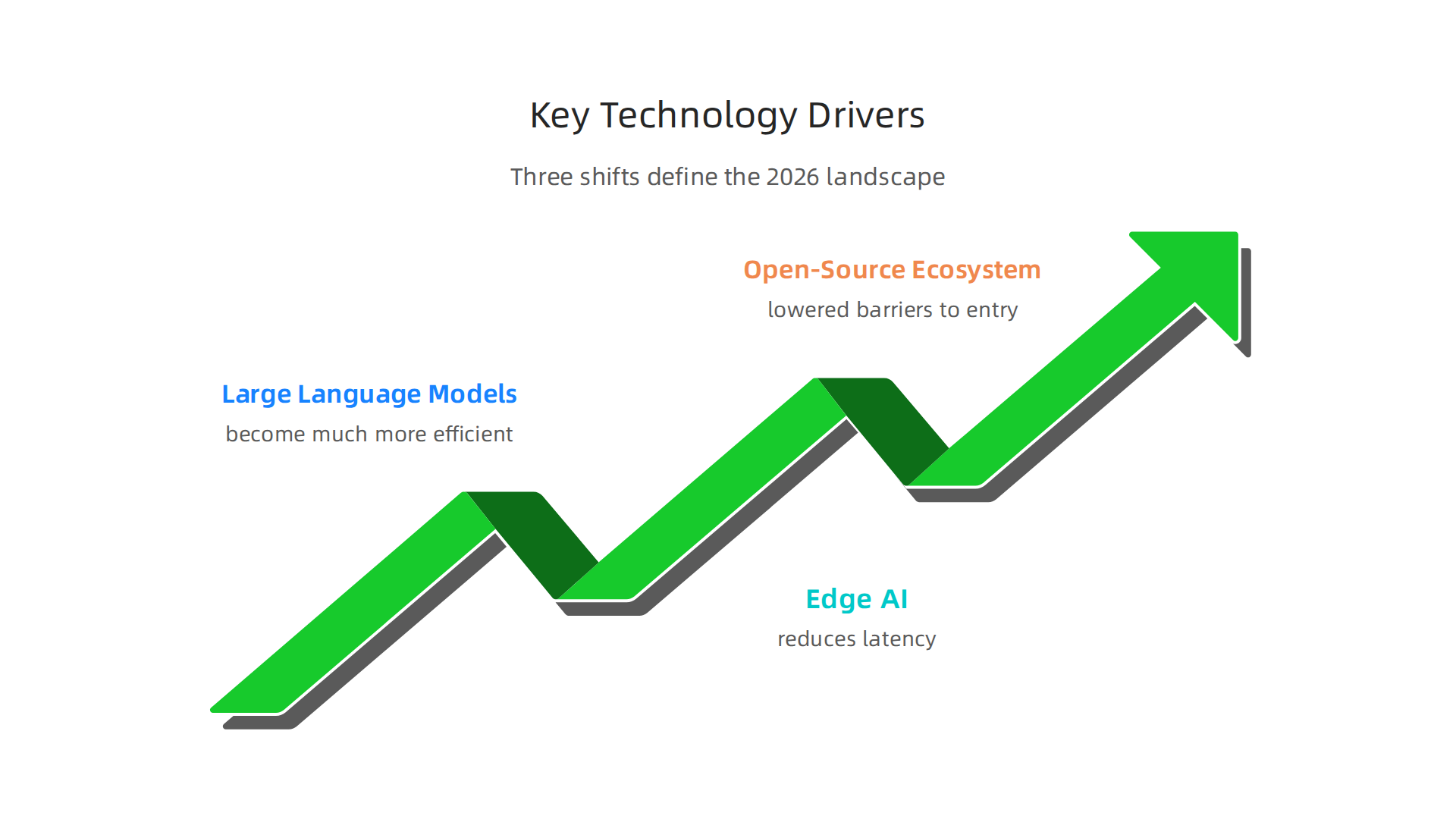
First, large language models have become much more efficient. Techniques like param-efficient fine-tuning and quantization let smaller teams run powerful AI without massive budgets. The latest LLM advancements in 2026 show that models can now run on edge devices, which brings us to the second driver: edge AI. By processing data locally, edge AI reduces latency and enables real-time decisions in mobile and IoT applications. This is a game changer for fields like robotics and autonomous systems, often covered in Menlo Park news and Liveview Technologies news.
Third, the open-source ecosystem has lowered barriers to entry. Smaller teams can fine-tune models like Llama 4 or Mistral Large 3. But proprietary models from OpenAI, Anthropic, and Google still lead in benchmark performance. For teams deciding how to choose, our guide on selecting AI software development tools for your 2026 team breaks down the trade-offs. Understanding this definition of technology in practice helps you build smarter.
Advances in Large Language Models
The technology background around LLMs is shifting fast. For years, the Transformer architecture ruled everything. But in 2026, new designs like Mamba and State Space Models are challenging that lead. These architectures handle long sequences more efficiently, which matters when you need to process huge amounts of data without slowing down.
Fine-tuning and Retrieval-Augmented Generation (RAG) have become the standard way to adapt LLMs for specific jobs. Instead of training a giant model from scratch, teams tweak a pre-trained model or let it pull fresh information from a database. This saves time, money, and makes the output more accurate for your use case. The comparison of top models from our AI model comparison for 2026 helps you see which approach fits your project.
Another huge leap: context windows now stretch to 1 million tokens. That means an LLM can look at your entire codebase at once and understand how everything connects. Tools like Claude and Gemini Pro already support this. For a deeper look at which models lead in reasoning and reasoning scaling, check out the latest comparison of advanced LLMs. These advances make LLMs far more practical for real development work in 2026.
But running these powerful models doesn’t always mean sending data to the cloud. A growing trend is bringing AI directly to the devices you use every day. This is called Edge AI, and it enables offline code completion, semantic search, and real-time inference right on your laptop or phone.
Companies like Apple and Qualcomm are optimizing models to run efficiently on mobile and laptop chips. Techniques like quantization and low-rank adaptation shrink model size without losing much accuracy. According to the latest trends from 2026, these methods now allow models to run on edge devices, making fast, private AI possible.
Privacy is a major reason for this shift. When data never leaves your device, sensitive code and documents stay safe. That’s driving adoption in enterprise settings where security is critical. For those building edge solutions, understanding this technology background is key.
If you want to design AI systems that respect user privacy, our guide on AI for humans: designing systems that put people first offers practical advice.
H3: Open-Source vs. Proprietary Models
Another big choice developers face is whether to use open-source models or proprietary APIs.
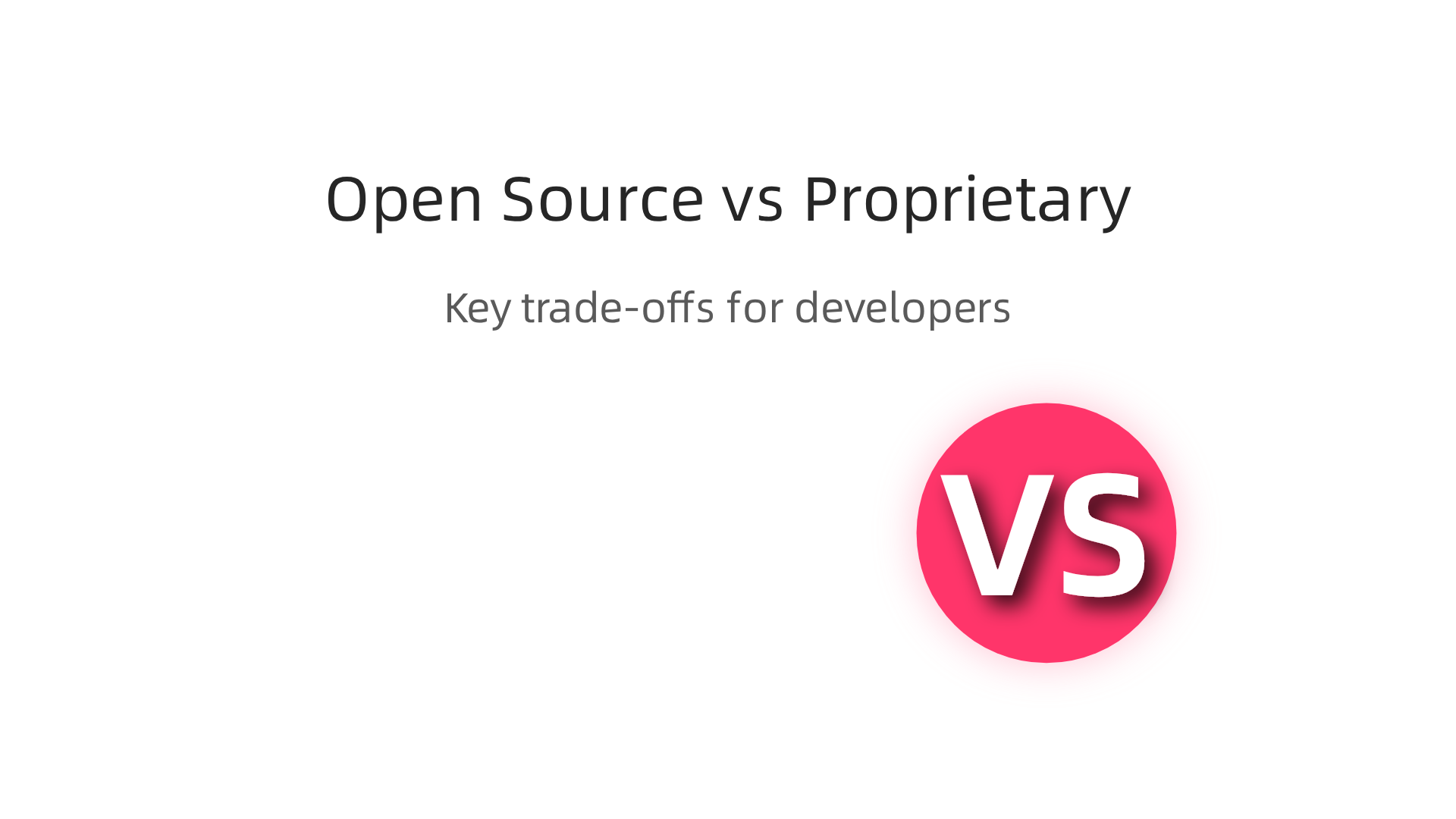
Open-source options from Meta, headquartered in Menlo Park, have made powerful models available to everyone. Meta’s Llama 4 gives developers free access, but fine-tuning still costs real money in compute and time. The payoff is control and transparency.
On the flip side, proprietary APIs from OpenAI and Anthropic offer high reliability and dedicated support. They handle scaling and updates for you. But those monthly bills add up fast at production scale. According to a most advanced LLM in 2026 comparison, models like GPT-5.5 and Claude Opus 4.7 lead in structured reasoning and enterprise readiness.
Many developers now take a hybrid path. Start with open-source to prototype quickly. Then switch to proprietary APIs when you need production stability. Companies like LiveView Technologies use this exact playbook. Understanding this technology background helps you choose the right model for each stage of your project.
For a closer look at how these options compare, check out our full AI model comparison for 2026.
H2: Navigating Information Overload: How to Stay Current
The AI developer tools landscape has exploded. Between 2023 and 2026, the number of available frameworks and platforms grew by about 300%. That is great for choice but terrible for focus. Many CTOs and tech leads now spend more than two hours every single day just tracking new releases. Before you know it, your entire morning is gone.
This is what experts call information overload. When you have too many tools and too little time to evaluate them, your productivity drops.

Developers report struggling to prioritize tasks, which leads to delays and frustration.
The fix is not to stop learning. It is to consume smarter. Structured habits like subscribing to a curated newsletter, listening to a focused podcast, or following a trusted feed can cut the noise.
Understanding your technology background helps you decide what is worth your time. Knowing your definition of technology within your own stack lets you ignore tools that do not fit.
For more on how to pick tools that actually boost your output, read our guide on AI productivity tools for developers. And if you want a daily dose of the most important AI updates without the clutter, try The Deep View Newsletter. It delivers clear, curated news straight to your inbox so you can stay current without burning out.
Curated Newsletters and Communities
One of the smartest ways to fight information overload is to let someone else do the heavy lifting. Curated newsletters work like a personal filter. A human editor or a trusted team picks the most important updates from hundreds of sources and delivers them in one short email. This saves you from clicking through tabs all morning.
Online communities add another layer of help. Places like r/MachineLearning on Reddit or specialized Discord servers give you real-time peer validation. You can ask "Has anyone tried this new framework?" and get honest answers within hours. These conversations often surface practical insights you would never find in a blog post.
Your technology background helps you choose the right mix. If your definition of technology leans toward applied AI, you will want communities focused on deployment and MLOps. If you are more into foundational models, different groups will make more sense. The key is to be intentional.
Experts recommend sticking to two or three high-quality sources at most. Any more and you risk sliding right back into overwhelm. A well-chosen newsletter plus one active community can cover your needs without consuming your day. For a lighter take on how these online spaces shape developer culture, check out our article on how developer humor shapes community and culture. And if you want a deeper look at proven strategies to manage information overload, the SitePoint guide offers solid advice.
Benchmarks and Evaluation Frameworks
With hundreds of AI coding tools launching every month, how do you know which ones actually work? This is where benchmarks and evaluation frameworks come in. They give you objective data to cut through the hype.
Standardized benchmarks like HumanEval and SWE-bench let you compare tools side by side. These tests measure how well an AI model can write code or fix bugs. Your technology background helps you understand what these metrics really mean. Engineers who focus on applied AI might care more about SWE-bench scores, while those with a broader definition of technology might also look at training efficiency and inference speed.
Community-driven evaluations add another layer. Platforms like Chatbot Arena collect real human votes on which AI answers are best. This gives you real-world performance data that vendor reports often skip.
Here is the thing about vendor benchmarks: they can be misleading. A company might pick tests that make their own tool look good. That is why independent validation matters so much. Looking at third-party results helps you avoid making a bad investment.
For more on how to evaluate tools carefully, check out our guide on how to evaluate the smartest AI in 2026. And if you want daily updates on new benchmarks and tool releases without the overload, The AI Newsletter Worth Reading delivers clear summaries straight to your inbox.
Tool Selection and Integration Challenges
Once you have a solid benchmark framework, the real test begins: picking the right tool for your team and getting it to actually work. This is where many developers stumble. Raw capability scores look great on paper, but the moment you try to plug a tool into your existing workflow, things can fall apart.
Integration comes first. Developers consistently rank seamless fit with their existing IDEs and CI/CD pipelines above any single metric. According to the AI Tools for Developers 2026 guide, the best AI tools fit naturally into your current stack. If a tool requires you to change how your team works, it will probably fail.
Your technology background shapes what you look for next. If your background leans toward applied AI, you might focus on accuracy and latency. But if your definition of technology includes the whole software delivery lifecycle, you will also weigh cost, security, and support heavily.
The key selection criteria boil down to five areas:
- Accuracy — Does the tool produce correct, secure code?
- Latency — How fast does it return results? Slow tools kill flow.
- Cost — Is the pricing model sustainable at scale?
- Security — Does it protect your proprietary code and meet compliance standards like SOC 2 or HIPAA?
- Support — Can you get help when something breaks?
The LeadDev buying checklist emphasizes that security and compliance are non-negotiable for regulated industries.
Many tools offer cloud processing, but some teams need self-hosted or VPC deployment to stay safe.
Integration friction is the number one reason AI tools are abandoned within three months. A tool that looks powerful in a demo can become a headache when it does not connect to your repository, your issue tracker, or your deployment pipeline. Your team’s time gets wasted on context switching and workarounds. That is why the AI dev tool power rankings include practical usability and workflow integration as major evaluation categories.
So how do you avoid this pitfall? Start by mapping your current toolchain. List every system your code passes through: your IDE, Git provider, CI/CD runner, monitoring platform, and team communication app. Then, for each AI tool you evaluate, ask one simple question: Does it plug into these systems without friction?
Your technology background gives you an edge here. Experienced developers know that integration details often matter more than flashy features. If you have a broad definition of technology that includes operational stability, you will spot integration risks before they waste weeks of productivity.
For a comprehensive look at matching tools to your specific needs, check out our guide on selecting AI software development tools for your 2026 team.
Bridging the AI Skill Gap: Learning and Development
Picking the right tool is only half the battle. The other half is making sure your team can actually use it well. That’s where the skill gap hits hard. According to a recent survey, 72% of developers feel they lack sufficient AI and machine learning skills to fully leverage new tools. That number tells us something important: the tools are evolving faster than most teams can learn.
Your technology background plays a big role here. If your definition of technology comes from a traditional software engineering path, you might be comfortable with core languages and architecture but unsure about model training or prompt engineering. On the flip side, if you come from a data science world, you might know ML inside out but struggle with deployment pipelines. Both backgrounds have gaps.
Hands-on projects beat traditional courses every time. Sitting through long lectures or watching tutorial videos only goes so far. The real learning happens when you dedicate focused time to building something real. Many teams now set aside "learning sprints" where engineers work on small AI-powered features using their actual codebase. This approach not only builds skills but also ships value. The Formation guide to using AI coding tools in 2026 emphasizes treating AI as a pair programmer and learning by doing, not by watching.
Cross-disciplinary learning is emerging as a key competency. The best AI developers in 2026 combine ML understanding with strong software engineering practices.

They can spot when a model is overfit, write clean production code, and design systems that handle failures gracefully. If you are early in your career or looking to upskill, focusing on both sides gives you a major advantage. Check out our article on MIT’s free online courses for developers to find structured paths that mix machine learning and software engineering topics.
The landscape changes weekly. News from Menlo Park about new foundation models or LiveView Technologies news about real-time AI processing can shift what skills matter overnight. Staying current is not optional. That is why newsletters like The Deep View Newsletter are so useful. They deliver clear daily updates on AI developments, so you can spend your energy on actual learning instead of hunting for news.
Make learning a habit, not a one-time event. Set aside an hour each week for hands-on experimentation. Pair someone strong in ML with someone strong in engineering for knowledge sharing. And always keep one eye on what is coming next. The tools will continue to improve, but your team’s ability to adapt is what sets you apart.
Security, Privacy, and Compliance in AI Development
But as you adopt these tools faster, one area requires extra attention: security, privacy, and compliance. AI code generators are incredible for speed, but they also bring new types of risk that your team must manage carefully.
The numbers are clear. Research shows that about 45% of AI-generated code contains security flaws. That stat comes from the AI-Generated Code Security Risks: What Developers Must Know report,
which tested code across multiple languages. The most common problems include SQL injection, cross-site scripting, and cryptographic failures. These are not minor bugs. They are vulnerabilities that attackers can exploit.
Another risk is hallucinated API calls. An AI model might suggest a function or library that does not exist or import an outdated package with known weaknesses. Your team’s technology background matters here. Developers who come from a security-focused culture are more likely to catch these issues early. If your team’s definition of technology skips over security training, these flaws can slip into production fast.
Data privacy laws like GDPR and CCPA add another layer. When you use cloud-based AI models, your code and data may travel through servers in other regions. That matters for compliance. Many enterprise buyers now demand proof of SOC 2 Type II or HIPAA compliance before they approve any AI tool. The AI Code Vulnerability Audit guide recommends running static analysis scans and checking for compliance gaps against SOC 2 and ISO 42001 requirements.
The best approach is to build security into your workflow from the start. Treat AI-generated code like any other code: review it, test it, and scan it for vulnerabilities. If you want a deeper look at setting clear rules for your team, check out our article on the future standard for AI implementation. It covers how to create policies that keep your projects safe and compliant as you move faster.
Future Outlook: What’s Next for AI Developer Tools
As you move faster with AI in your daily workflow, it helps to know what’s coming next. The landscape is shifting quickly, and a few big trends will define 2026 and beyond.

First, agentic coding is going mainstream. Instead of just generating code snippets, AI agents are learning to write entire functions, debug their own output, and even refactor existing codebases without human prompting. Your team’s technology background will determine how quickly you can adopt these autonomous agents. Teams with strong fundamentals in software architecture and testing will find it easier to trust and review agent output. By late 2026 and into 2027, expect agentic tools to become a standard part of every developer’s stack.
Second, multimodal AI is changing how we debug. Imagine taking a screenshot of a broken UI, circling the error in red, and pasting it into your AI assistant. The model reads the image, understands the context, and suggests a fix. No more writing long bug reports. This shift is already appearing in early releases, and it means the definition of technology in developer tools is expanding beyond just text. For more on designing systems that put humans first in these interactions, read our guide on AI for humans design systems.
Third, regulation of AI-generated code is coming. Governments and industry bodies are starting to propose rules that could require teams to audit and document every line of code produced by AI. This will create new compliance burdens, especially for organizations in regulated sectors like finance and healthcare. According to the Cybersecurity Risks of AI-Generated Code report, these policies could include liability for insecure AI output. Menlo Park news reports and LiveView Technologies news have both highlighted early moves in this direction. Teams that start building compliance workflows now will have a head start.
Summary
This article explains the 2026 AI developer tools landscape and gives practical guidance for teams deciding which tools to adopt. It covers adoption trends and statistics, the core technology drivers (advanced LLMs, edge AI, and the open-source ecosystem), and the trade-offs between open-source and proprietary models. You’ll learn how to evaluate tools using benchmarks, match them to your existing IDE and CI/CD workflows, and avoid integration pitfalls that cause abandonment. The piece also highlights security, privacy, and compliance risks of AI-generated code and recommends treating generated code like any other production artifact. Finally, it outlines how to upskill teams through hands-on projects and curated information sources, and previews coming trends like agentic coding and multimodal debugging so you can prepare your processes and policies accordingly.