

How Tech Works in 2026 Understanding AI Developer Tools
Overview
Why Understanding How Tech Works Matters in 2026
The AI developer tool landscape is moving faster than ever. Every week, there’s a new tool, a new model, or a new way to build. If you’re a developer, you’ve probably felt the pressure to keep up.

Actually, it’s not just about keeping up. It’s about knowing what tech works and why.
According to the AI Coding Assistant Statistics 2026, 84% of developers now use or plan to use AI tools. That’s huge. But here’s the thing: using a tool without understanding how it works is like driving a car blindfolded. You might get somewhere, but you’ll likely crash.
Developers who take the time to understand the inner workings can pick the right tool for the job. They can spot when something is off and fix it faster. They can combine tools in smart ways. In short, they get better results, whether they work on consumer tech electronics or enterprise systems. Even organizations like the Center for Humane Technology stress the importance of knowing how AI systems impact people.
This article breaks down the core parts of modern AI-powered development. We’ll look at workflows, evaluation criteria, and how to choose what fits your needs. Whether you work in an innovation center, build lib tech, or design consumer products, knowing the mechanics helps you build better software.
And because this space moves so fast, staying informed is half the battle. The AI Newsletter Worth Reading delivers clear daily updates so you never miss what matters.
Let’s dive in.
The Building Blocks of AI-Powered Software
To build something useful with AI, you need more than just a single large language model. Modern AI development stacks combine several parts that work together. Think of it like a team where each member has a specific job. Understanding how this tech works together is what separates projects that ship from those that stall.
The main pieces include:
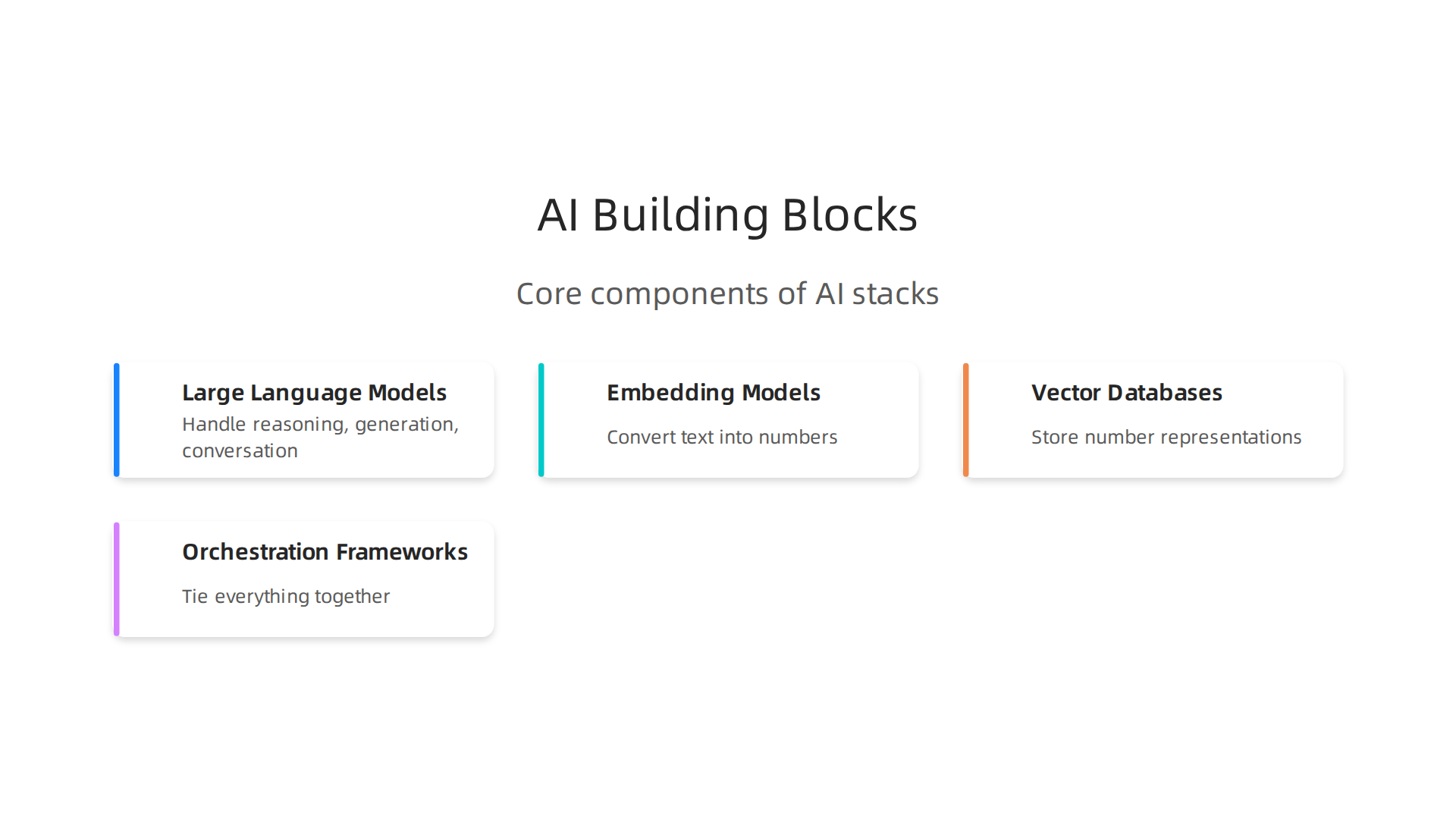
- Large Language Models (LLMs): These are the brains. Examples include GPT, Claude, and Llama. They handle reasoning, generation, and conversation.
- Embedding Models: These convert text into numbers so a computer can compare meanings. They help the system know which documents or code snippets are similar.
- Vector Databases: These store the number representations from embedding models. Tools like Pinecone or Weaviate let you search for relevant information fast.
- Orchestration Frameworks: These tie everything together. They decide when to call an LLM, when to fetch data from a vector database, and how to pass results between tasks. Frameworks like LangGraph and CrewAI are popular choices in 2026 for coordinating multi-step workflows.
Each layer plays a role. For example, when you ask an AI assistant a question, the orchestrator first sends your query to a router. It might use an embedding model to find relevant context in a vector database. Then it sends that context plus your question to an LLM. The LLM generates an answer, and the orchestrator returns it to you. That whole chain happens in seconds.
The way these components interact affects cost, speed, and control. A LLM orchestration tool comparison shows that using a simpler LLM for routine tasks and a more powerful one for complex reasoning can cut costs significantly. Open-source models give you more control but require more infrastructure. Commercial APIs are easier to set up but have ongoing costs and vendor lock-in.
Choosing the right stack depends on your use case. Are you building a consumer app that needs fast, cheap responses? Then a lightweight model with a cloud-based vector database might be best. Working on a sensitive enterprise project? You might want an on-premise Llama model with a custom orchestrator. The options are wide, but knowing each part helps you make smarter decisions.
For a deeper look at the specific strengths of each model type, check out this AI model comparison guide for 2026. It covers GPT, Claude, Gemini, and open-source options side by side.
Even fields like lib tech and consumer tech electronics are adopting these same building blocks. The principles stay the same, even as the applications change. Once you understand the stack, you can evaluate any new tool or platform with confidence.
Demystifying AI Code Generation: From Prompt to Production
You’ve likely used a tool like GitHub Copilot or Cursor to generate code. But how does that actually work under the hood? Understanding the process helps you get better results and avoid common mistakes.
AI code generation starts with a transformer model. These models learn patterns from millions of code examples on the internet. When you type a prompt like "write a Python function to sort a list of dictionaries by a key," the model predicts the most likely sequence of tokens that would follow. It doesn’t think like a human. It just guesses what comes next based on what it has seen before.
This is why prompt engineering matters so much. The quality of your prompt directly determines the quality of the output. If you write a vague prompt like "make a login form," the model will guess. If you write "create a React login form with email and password inputs, showing validation errors inline," you get a much better result. The trick is to be specific, provide examples, and specify the language and framework.
But even the best prompt won’t always give you production-ready code on the first try. That’s where iterative refinement comes in. You take the output, test it, find bugs, and ask the model to fix them. This loop of prompt, review, refine is the bread and butter of working with AI coding assistants.
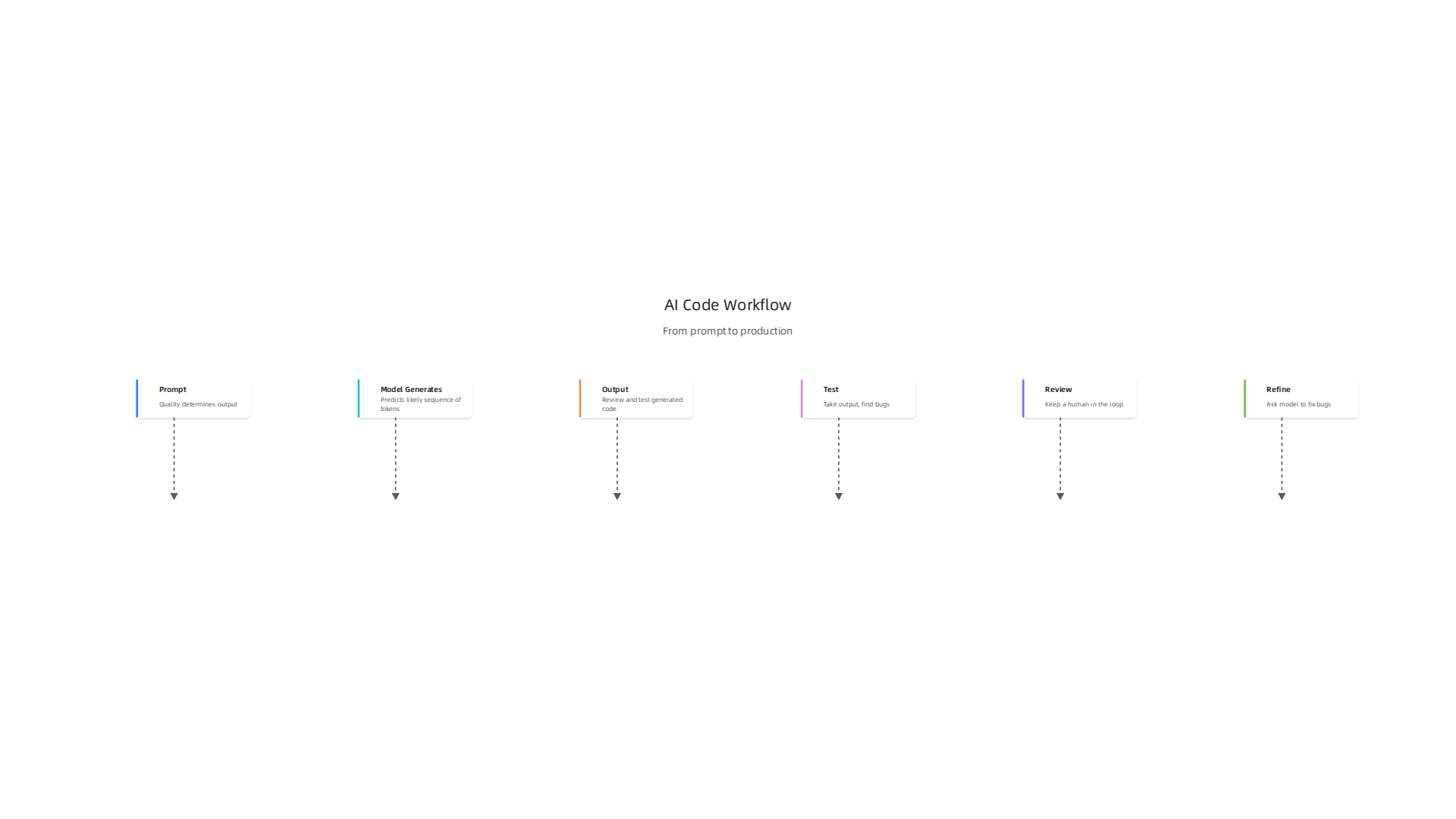
A key best practice is keeping a human in the loop. AI models are impressive, but they still make mistakes. They can generate code that looks right but has subtle security flaws, off-by-one errors, or inefficient logic. Always review, test, and validate before merging.
This is especially important when you look at benchmark scores. The old standard HumanEval measured how well models solved isolated coding puzzles. But by 2026, most frontier models score above 90% on it, meaning it no longer separates the good from the great. The new benchmark that matters is SWE-bench Verified. It tests models on real GitHub issues where they must fix bugs across complete codebases. As of mid 2026, the top model Claude Mythos Preview scores 93.9%, but the average across all models is only 63.4%. And on the harder SWE-bench Pro, even the best models struggle below 70%. You can check the latest model scores on the SWE-bench leaderboards to see for yourself.
What does this mean for you? Real-world productivity gains vary by task. Simple boilerplate, unit tests, and documentation copy-paste well. Complex business logic, multi-file refactors, and security-sensitive code still need careful human review. The smartest teams measure both speed and quality. They don’t just ask "how much code did we generate?" They ask "how many bugs did we introduce?" and "how much time did we save on review?"
To get the most out of AI code generation, invest in your prompt skills, test outputs rigorously, and stay current on model capabilities. The smartest AI in 2026 is the one that fits your specific workflow, not just the one with the highest benchmark number.
The tech works best when you treat it as a collaborator, not a replacement. You still own the design, the architecture, and the final review. The model handles the grunt work. That combination is where real productivity lives.
If you want to stay on top of the latest AI coding tools and best practices, there is one recommendation I hear again and again from developers. It is The AI Newsletter Worth Reading. Quick daily updates that cut through the noise. Worth your inbox space.
Seamless AI Integration into Development Workflows
Generating code with AI is useful. But the real productivity jump comes when you plug AI directly into your CI/CD pipelines. Instead of copying output manually, you can automate testing, code review, and even deployment monitoring with AI agents that run every time you push code.
This is where things get more complex. You are adding a new system that can fail in unpredictable ways. So you need to design your integration carefully.
Start with API design. Your AI service needs clear input and output contracts. If the model is unavailable or returns garbage, your pipeline should not break. That means adding caching strategies. Cache common prompts and responses so you do not hit the API for the same request twice. And always have fallback logic. If the AI call times out or returns an error, the pipeline should fall back to a simple rule-based check or skip that step entirely. Your deployment should never depend on an AI model being available.
Teams that do this well report the biggest gains come from custom fine-tuned models. Instead of relying on a general model, they train a smaller model on their internal codebase. This tuned model understands your specific coding patterns, libraries, and naming conventions. As a result, it generates suggestions that actually fit your project. The difference is night and day. As the LLM Benchmarks 2026 analysis shows, no single benchmark predicts real-world performance. But teams that fine-tune on their own code consistently see the best results.
Another best practice is to treat AI integration like any other microservice. Give it its own deployment, monitoring, and alerting. Track latency, error rates, and the percentage of suggestions accepted by developers. If acceptance rates drop, something is wrong with the model or the prompt. Fix it early. When your setup is solid, the tech works quietly in the background.
And remember the human element. The center for humane technology reminds us that tools should serve people, not the other way around. AI should reduce friction, not add complexity. When you design your workflow, always ask: Does this make the developer’s job easier? If not, rethink the integration.

Some advanced teams also run their own innovation center where they experiment with AI models before rolling them out to the whole organization. They test prompts, compare model outputs, and collect developer feedback. This sandbox approach reduces risk. Then when a model works well, it gets promoted to production pipelines.
The tech works best when it fades into the background. You should not have to think about the AI tool. It should just be there, helping you catch bugs, suggesting fixes, and speeding up reviews. That is the goal of seamless integration. Get these workflows right, and your whole team becomes faster without adding cognitive load.
Navigating Security and Compliance for AI Tools
Seamless integration sounds great. But here’s the thing: every AI tool you plug in also opens new doors for attackers. You are adding a powerful system that can be tricked, poisoned, or bled for data. If you do not lock it down, your fast workflow becomes a serious risk.
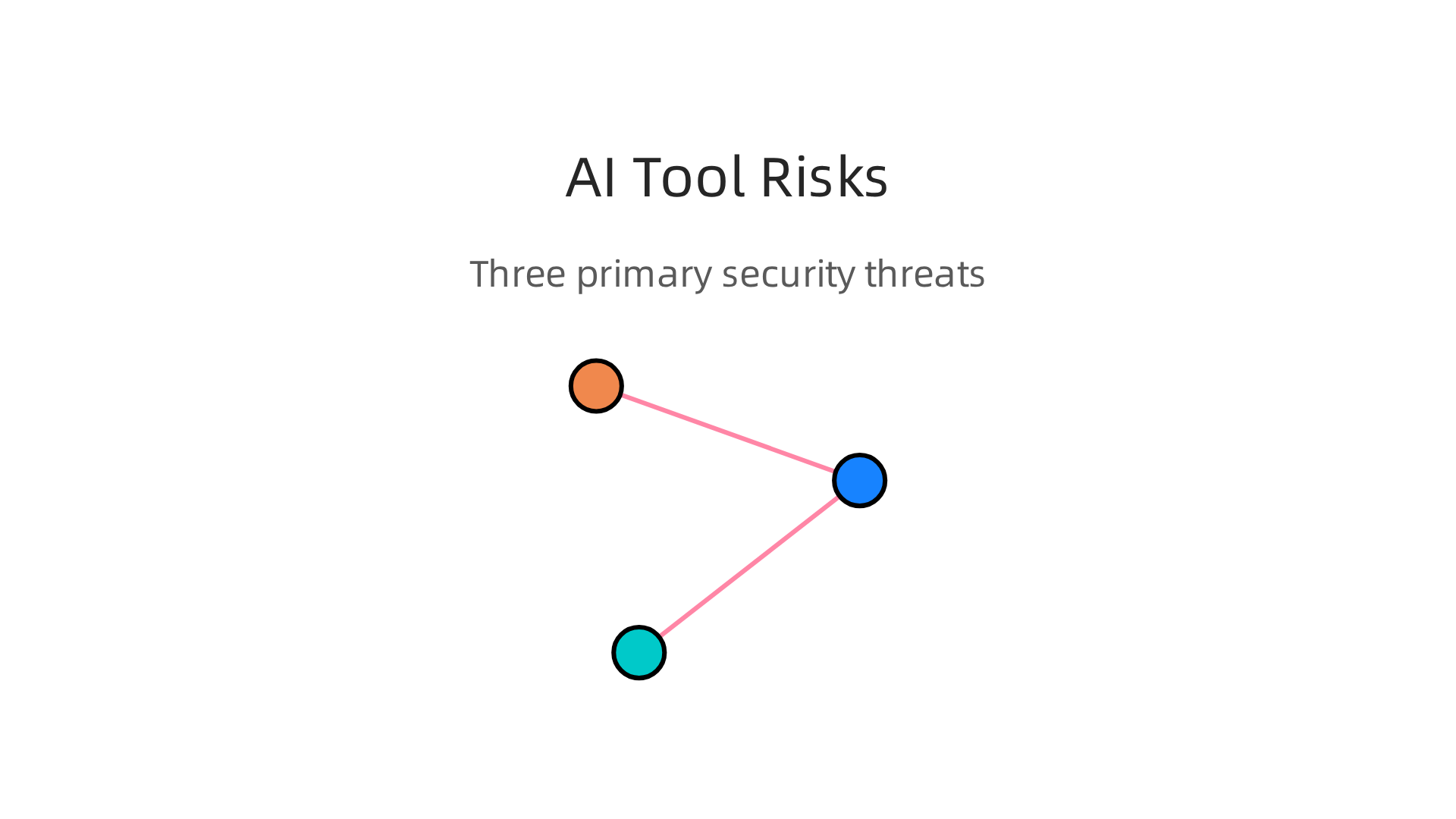
The biggest dangers come from three attack surfaces. First is prompt injection, where a user craftily gets the model to ignore its instructions. Second is data leakage, where sensitive company or customer information slips out through an output. Third is model poisoning, where someone corrupts the training data to change how the model behaves.
These are not just theory. They happen in production every day.
So what can you do? Start with a solid security framework. The OWASP LLM Top 10 for 2026 lays out the most critical vulnerabilities engineers need to defend against. It covers prompt injection, insecure output handling, data poisoning, and supply chain risks. Use it as your baseline checklist.
You also need a governance framework. The NIST AI Risk Management Framework gives you a structured way to govern, map, measure, and manage AI risk. And if you are dealing with regulations like the EU AI Act or SOC 2, you will need audit trails that show exactly what the AI decided and why. That means logging every input, every model version, and every output. No shortcuts.
Developers must implement guardrails at the code level. Treat all AI outputs as untrusted data. Validate them before they go anywhere. Use role-based access on your AI endpoints so only authorized teams can call the model or change prompts. And enforce strict output filtering to block sensitive data from escaping.
If you want to go deeper on setting up these governance rules for your team, check out this guide on clear rules for AI implementation. It walks through what a solid AI policy looks like in 2026.
The bottom line: the tech works best when you have already planned for what can go wrong. Security and compliance are not optional add-ons. They are part of making AI reliable and trustworthy. When you get them right, your team can move fast without worrying about a breach or a lawsuit.
Staying on top of these evolving security and compliance requirements is tough. That is why many teams rely on curated updates. Grab The AI Newsletter Worth Reading to get clear daily insights on AI security, tools, and best practices delivered straight to your inbox.
Key Metrics for Evaluating AI Developer Tools
You are staring at a list of AI coding tools. Each one claims to be the best. But how do you actually know which one will help your team ship faster without creating headaches? The answer is metrics. The right numbers tell you if a tool is a fit or a flop.
Let’s start with the basics that every team should measure. Accuracy is the first thing people look at. Does the tool generate code that actually compiles and runs correctly? You can test this by giving it a set of problems and checking the pass rate. Latency matters too. A tool that takes thirty seconds to suggest a snippet breaks your flow. You want responses in under a few seconds for most tasks. Cost per request adds up fast when you scale. Some models charge per token, and a chatty tool can burn through your budget. Context window size determines how much code the tool can hold in memory at once. If you are working on a large codebase, a small window means the tool forgets what you wrote earlier.
These four metrics give you a solid baseline. But in 2026, the bar is higher. Teams now look at advanced metrics that reveal deeper performance. Pass@k measures how often the correct answer appears within the top k attempts. For example, pass@5 means the tool has five chances to get it right. This matters when you need flexibility. Functional correctness goes beyond syntax. It checks whether the generated code solves the actual business problem. You can use unit tests or end-to-end tests to verify this. Resistance to adversarial prompts is critical for security. A good tool should not fall for prompt injection tricks that leak data or ignore instructions.
Here is where many teams go wrong. They fall in love with a tool that shines on simple code generation but fails on complex logic. A tool that writes boilerplate well might produce terrible code for database queries or error handling. So you must align your metrics with your specific use case. If your team builds API endpoints, test the tool with that exact task. If you work on data pipelines, stress test it there.
For a deeper look at how to run these evaluations, check out our guide on evaluating the smartest AI in 2026. It walks you through a practical scoring system your team can adopt today.
One more thing to keep in mind. The AI security standards and frameworks for 2026 from SentinelOne can help you define what "resistance" means for your threat model. Use those guidelines to build your test cases.
The truth is that no single metric tells the full story. You need a basket of measurements that match your workflow. Start with the basics. Add advanced checks. Then test against your real code. When you do that, you find the tool where your tech works the way you need it to.
Building a Future‑Proof Continuous Learning Strategy
The metrics and benchmarks you just read about are only useful if your team actually knows how to apply them. But here is the challenge: the half‑life of AI tooling knowledge keeps shrinking. A tool you master today might be outdated in six months. The features you rely on next quarter could change completely. So how do you keep your skills fresh without burning out?
The data shows how fast this field moves. According to the AI Tools Statistics 2026 report, 84% of developers now use or plan to use AI tools. More than half of professional developers use them daily. That means the baseline for what every developer knows is rising constantly. If you are not actively learning, you are falling behind.
So what actually works? Let’s look at strategies that real teams use to stay current.
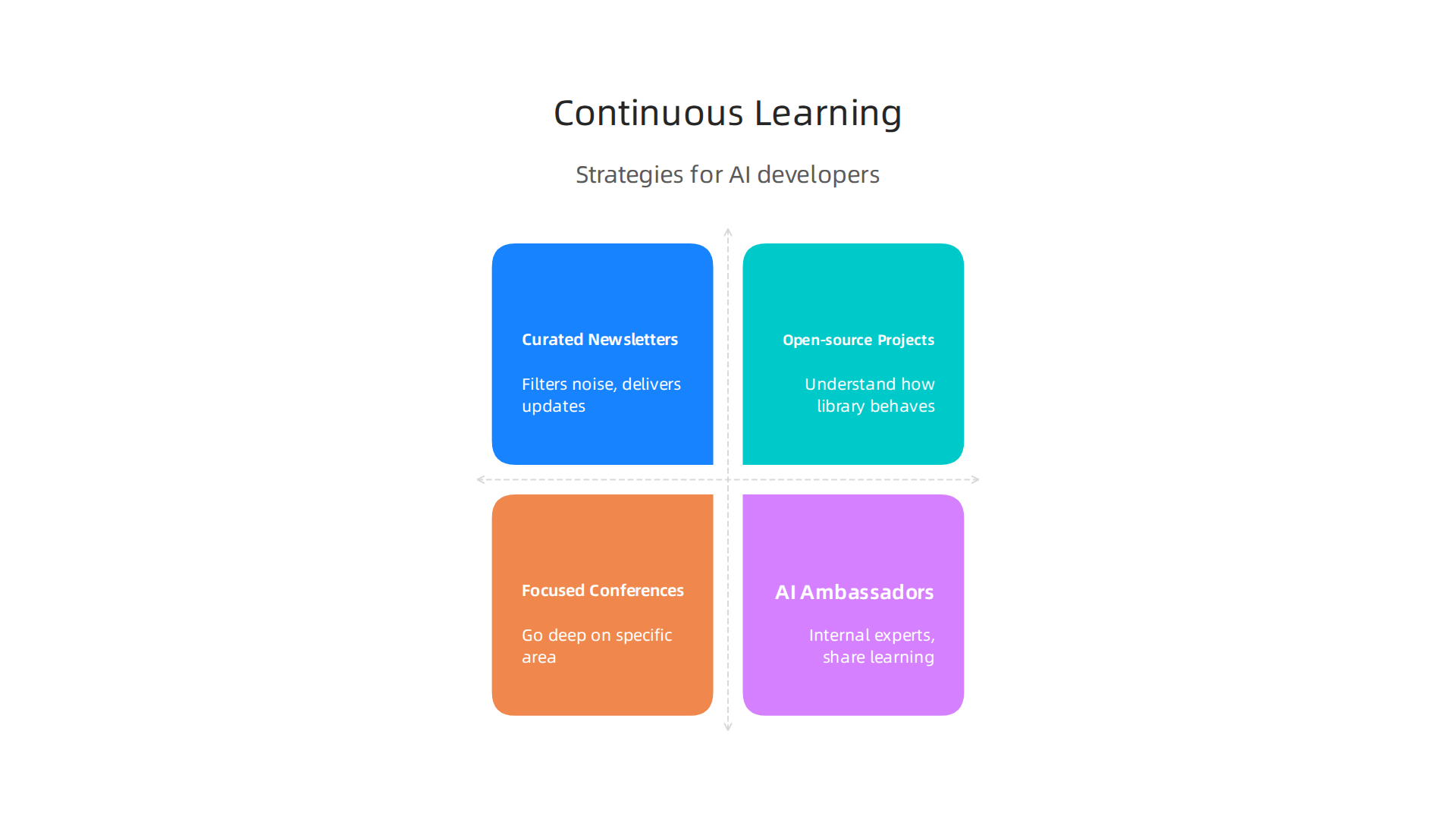
Follow curated newsletters. The firehose of AI news is overwhelming. A well‑curated newsletter filters the noise and delivers the updates that matter most for your role. Look for newsletters that focus on practical tooling and real‑world case studies rather than hype. One easy way to stay informed: get clear daily AI updates from The Deep View Newsletter. It covers the shifts in tooling and best practices that directly affect how your tech works day to day.
Contribute to open‑source projects. Reading about a tool is one thing. Using it in a real codebase is another. Open‑source contributions force you to understand how a library or framework actually behaves under pressure. You also learn from other contributors who bring different perspectives. Many teams now require developers to spend a portion of their time on open‑source work as part of their growth plan.
Attend focused conferences. Not every conference is worth your time. Look for events that go deep on a specific area like AI agents, prompt engineering, or MLOps. The best ones release recorded talks afterward, so you can revisit sessions later. Conferences also give you a chance to meet the people building the tools you use, which often leads to insights you would not find in any blog post.
Designate AI ambassadors on your team. This strategy pays off fast. Pick one or two developers who are curious about new tools.

Give them time each week to explore, test, and report back. These ambassadors become your internal experts. They evaluate new releases, run quick benchmarks, and share what they learn with the rest of the team. Instead of everyone chasing the same updates, the ambassador does the research and brings the signal to the group.
If your team wants a structured path for upskilling, check out this guide on MIT free online courses for developer upskilling. It lists practical courses that align with real 2026 skill gaps.
Remember, the goal is not to learn everything. The goal is to learn the right things at the right time. Build a learning rhythm that fits your team’s pace. Start with one newsletter. Pick one open‑source project. Choose one ambassador. Then adjust as the landscape shifts. That is how you make sure your team’s tech works today and keeps working tomorrow.
Summary
This article explains why developers must understand how modern AI tooling actually works, not just how to use it, so they can pick the right tools, avoid costly mistakes, and build reliable systems. It breaks the AI development stack into its core parts—LLMs, embedding models, vector databases, and orchestration frameworks—and shows how they interact to affect cost, speed, and control. The piece demystifies AI code generation by describing transformers, prompt engineering, and the iterate‑test‑refine loop that turns model output into production code. It also covers practical integration into CI/CD, emphasizing API contracts, caching, fallbacks, and fine‑tuning for internal codebases. Security and compliance receive dedicated guidance, including prompt injection, data leakage, model poisoning, and governance best practices. The article finishes with metrics and evaluation methods teams should measure and a continuous learning strategy to keep skills current as tooling evolves. After reading, you’ll be able to evaluate stacks, integrate AI safely, and build measurement and learning plans that make AI work for your team.