

AI Developer Tools 2026 Choose and Optimize for Engineering Success
Overview
Why this guide matters: navigating the explosion of AI developer tools
In 2026, things in software development are moving super fast. It feels like every day there’s a new AI tool popping up to help engineers. This is great news, because AI is changing how we build software, making things quicker and sometimes even better. Did you know that almost all software development companies, about 97%, are now using AI in their daily work or looking into it closely? This shows how big a deal AI has become AI Reaches 97% of Software Development Organizations.
But with all these new tools, there’s a problem. It can be really hard to keep up. How do you know which ones are actually good? Which tools will help your team the most, whether you’re a java software developer or working on big AI projects? It’s easy to feel lost trying to pick from such a huge list of AI tools. You might worry about picking the wrong one or missing out on a better option.

In fact, many developers use a mix of tools, often three different ones, instead of just sticking to one to get their work done AI Coding Tool Adoption 2026: Developer Survey Results.
That’s why this guide is here. We want to help you make smart choices. We will give you a clear, easy-to-understand way to look at all these AI tools. We’ll show you different types of tools and explain what they are best for. This will help you decide which tools fit your team’s needs, making your work smoother and more effective. You’ll learn how to navigate, select, and optimize your use of AI developer tools in 2026. This means less stress trying to figure things out and more time building amazing software.
Want to stay in the loop with the very latest in AI every day?
The AI Newsletter Worth Reading
Role-based overview: which AI tools matter for which developers
Since we know how many AI tools there are out there, the next step is to figure out which ones are right for you and your team. The truth is, there isn’t one perfect list of AI tools for everyone. What works best truly depends on what your job is and what kind of work you do every day.

Let’s look at how different developer roles might use AI tools and what to think about when picking them.
Frontend Developers
If you build the parts of software that users see and click, you’re a frontend developer. AI tools for you can help design websites and apps faster. They can suggest how things should look or even write basic code for parts of a web page (like buttons or menus). You might use tools that generate HTML, CSS, or JavaScript code. When picking these tools, think about if they work well with your design programs and if the code they make is easy to read and change. Many developers use AI tools daily to cut down on writing repetitive code, which can free up time for more creative work The State of Generative AI in Software Development – arXiv.
Backend Developers
Backend developers build the hidden parts of software that make everything work, like databases and servers. If you’re a java software developer, or work with Python or other languages, AI can help you write code for connecting to databases or creating APIs (Application Programming Interfaces). AI tools can also check your code for security issues or suggest ways to make your programs run faster. When choosing, look for tools that support your programming language and fit smoothly into your existing setup. Tools like GitHub Copilot are widely used, with about 75% of developers relying on it for assistance State of Code Developer Survey report.
Machine Learning (ML) Engineers
For ML engineers who build and train AI models, a different set of tools is key. This list of AI tools focuses on managing the entire lifecycle of a machine learning project. These are often called MLOps tools. They help you keep track of all your experiments, manage different versions of your models, and make sure your models are working correctly once they are live. Tools like MLflow are very popular for tracking experiments and managing models. Other important tools include Weights & Biases and Comet ML, which help serious training teams and high-volume researchers keep their projects organized.
Site Reliability Engineers (SREs)
SREs make sure software systems are always running smoothly and reliably. For them, AI tools can be super helpful in finding problems before they cause big issues. AI can watch your systems for unusual activities, predict when something might break, or even help fix problems automatically. When choosing tools, consider how well they watch your systems in real-time and how accurately they can tell you about problems without giving too many false alarms.
Quality Assurance (QA) Engineers
QA engineers test software to find bugs and ensure it works as it should. AI tools can help them create test cases, run tests automatically, and even spot visual differences in an application after changes. This can make testing much faster and more thorough. When looking at tools, think about how much of your code they can test and how good they are at finding real bugs.
Key Things to Think About When Choosing AI Tools
No matter your role, some things are important for everyone when looking at new AI tools:
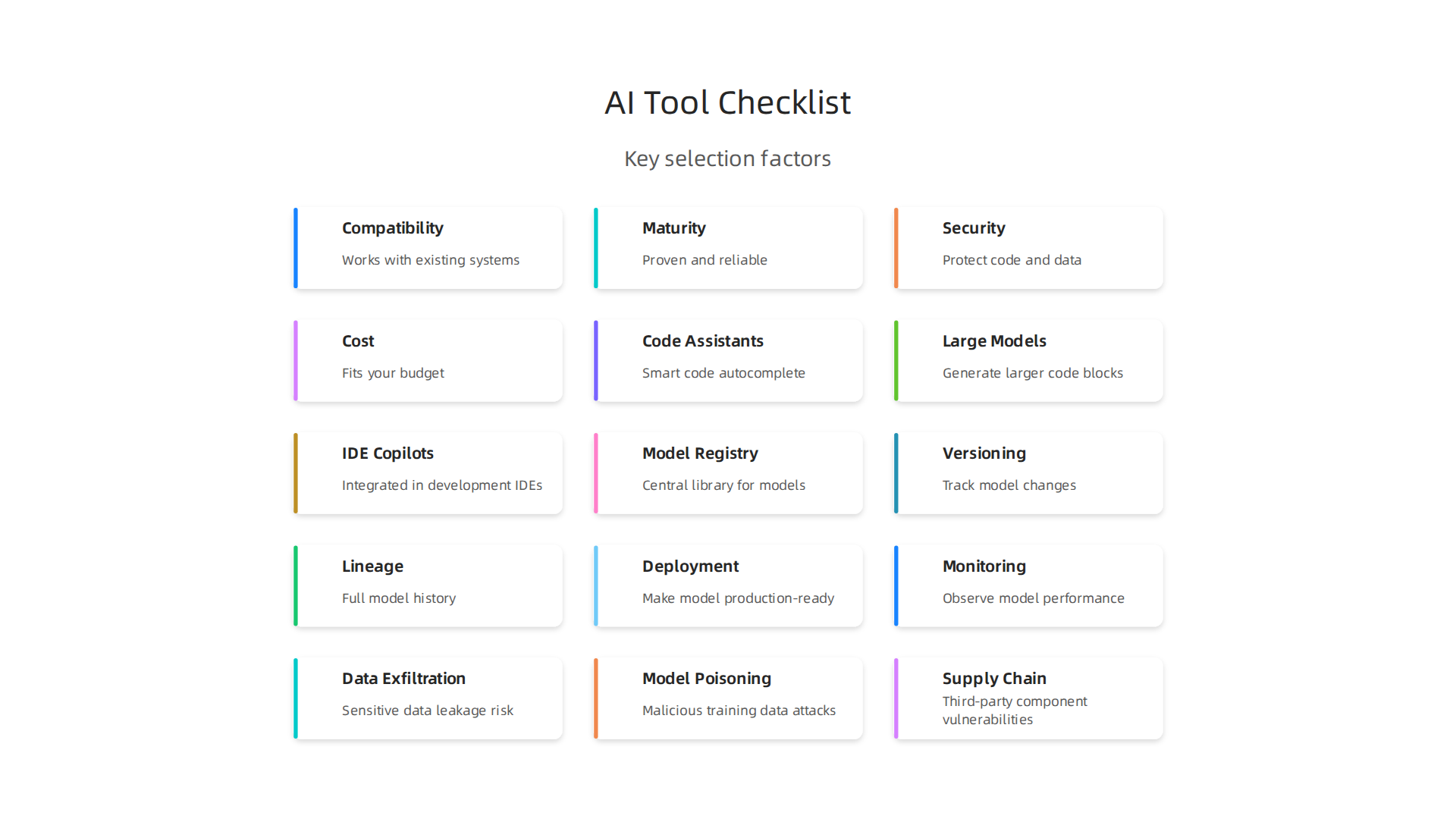
- Compatibility: Does the tool work with the software and systems your team already uses? It needs to fit in without causing more work.
- Maturity: Is the tool new and still being figured out, or has it been around for a while and proven to be reliable? Newer tools can be exciting, but older ones might be more stable.
- Security: How does the tool keep your code and data safe? This is super important to protect your work and your users.
- Cost: Does the tool fit your budget? Some tools offer free versions, while others require a subscription.
Thinking about these points will help you narrow down the wide range of options and find the best AI tools for your team’s specific needs. For a more detailed guide on how to pick the right tools, check out our article on selecting AI software development tools for your 2026 team.
Let’s talk about special AI tools that help developers write code. These are called code generation and pair-programming tools. They can make coding faster and easier, but it’s important to know how they work and when to trust them. This specific list of AI tools helps developers daily.
Different Kinds of AI Coding Helpers
There are a few main ways AI can help you write code:
- Code Assistants: Think of these like smart autocomplete for your code. They suggest the next few words or lines of code as you type. This is great for speeding up common tasks and reducing typos. Tools like Tabnine or even basic features in your coding program (IDE) can act as code assistants.
- Large-Model Code Generators: These are more powerful. You can give them a simple instruction, like "make a button that saves user data," and they can write bigger parts of the code for you. These models have learned from tons of code and can understand complex requests. Top models in 2026, such as GPT-4.5, Claude 4, and Gemini 2.5 Ultra, score very high on tests that check if they can write correct code on the first try AI Code Generation in 2026: Tools, Capabilities, and Best ….
- IDE-Integrated Copilots: These tools combine the best of both worlds. They live right inside your coding program (like Visual Studio Code or IntelliJ IDEA) and work like a smart teammate. GitHub Copilot is a famous example. They can suggest code, help fix errors, and even answer questions about your code right where you’re working. For a java software developer, having a copilot understand their specific project can be a huge help. These tools boost developer productivity by a lot, helping teams create more with less effort.
Some examples of popular tools in this category include Cursor AI, Codeium, and Amazon Q Developer, alongside the well-known GitHub Copilot. Each offers unique strengths in assisting developers with code.
When to Use Them and When to Check Them Twice
These AI tools are fantastic for many things:
- Writing repetitive code: If you have to write similar lines of code over and over, AI can do it in a flash.
- Boilerplate code: This is the basic setup code for new projects or features. AI can get you started quickly.
- Learning new things: If you’re exploring a new programming language or framework, AI can show you how things are typically done.
- Finding errors: Some tools can even help you spot bugs in your code.
However, it’s super important to remember that AI is a helper, not a replacement for your own brain. Here’s when you still need to pay close attention:

- Complex logic: For tricky problems or unique solutions, AI suggestions might not be perfect. You need to make sure the code does exactly what you intend.
- Security: AI-generated code can sometimes have security holes. Always review code that handles sensitive data or connects to outside systems.
- Performance: Just because the code works doesn’t mean it’s the fastest or most efficient. Human developers often need to optimize AI-generated code.
- Unique requirements: If your project has special needs or strict rules, AI might not understand them fully.
- Debugging: While AI can help find errors, understanding why a bug exists and truly fixing it often requires human insight.
Think of these tools as a pair-programmer who is super fast but sometimes needs clear instructions and careful checking. By using them wisely and always reviewing their output, you can significantly speed up your work and focus on the more challenging and creative parts of development. These tools are definitely transforming how we build software and can really help you boost productivity with real results.
Stay ahead of the fast-moving AI landscape and get crucial updates every day.
The AI Newsletter Worth Reading
After AI helps write code, it’s just as important to make sure that code works well and doesn’t have mistakes. This is where AI tools for testing, quality assurance (QA), and making sure things run smoothly come into play. These helpers catch problems earlier, making software more reliable.
Testing, QA, and reliability: AI tools that catch issues earlier
Even with AI writing code faster, we still need to check it carefully. Luckily, there’s a growing list of AI tools that help us do just that. These tools make testing smarter and quicker, helping developers like a busy java software developer ensure their work is top-notch.
Here’s how AI helps make sure software is reliable:
- AI-Driven Test Generation: Imagine software that can write its own tests. That’s what AI-driven test generation does. These tools look at your code or how your program should work and then create many test cases automatically. This saves a lot of time and makes sure more parts of the code are checked thoroughly AI-Powered Test Case Generation and Validation. It means fewer bugs sneak through, and developers don’t have to spend endless hours writing repetitive tests.
- Flaky-Test Detection: Sometimes, a test passes one time but fails another, even if nothing in the code has changed. These are called "flaky tests," and they can be very confusing. AI tools can spot these flaky tests by looking at patterns in how tests run over time. They help identify which tests are unreliable so developers can fix them, making the testing process clearer and more trustworthy.
- Observability Augmentation: This fancy term means that AI helps you keep a better eye on your software after it’s released. These tools can watch how your program works in real time, looking for strange behavior or problems that might pop up. If something looks wrong, they can tell you right away. This helps teams fix issues before they become big problems for users.
How These Tools Fit into the Development Process
These AI tools don’t just work alone. They fit right into the normal way developers build software, especially with something called Continuous Integration (CI) and Continuous Delivery (CD). Think of CI/CD as a smooth assembly line for software. Every time a developer makes a change, the code is automatically built, tested, and sometimes even sent out to users.
AI testing tools step in at key points in this assembly line:
- Early Problem Catchers: By generating tests and running them automatically, AI can find bugs very early. This is great because fixing a bug early is much easier and cheaper than fixing one discovered later.
- Reducing Risk: When AI helps test every change, it means there’s less chance of new problems popping up. This lowers the "regression risk," which is the chance that a new change will break something that used to work.
- Faster Feedback: Developers get quick answers about their code. If a change causes a problem, the AI testing tools can tell them almost instantly. This quick feedback helps developers correct their work right away.
In 2026, many companies use these AI tools to boost their quality efforts. Popular choices include tools like Testim, Mabl, and Functionize, which are known for self-healing tests and easy-to-use ways to create tests 10 Best AI Test Automation Tools in 2026: A Complete Guide. These are part of a larger market of AI-augmented software testing tools that help ensure software works as expected. Learning how to evaluate AI tech products for engineering success is key to picking the right ones for your team.
Using these AI helpers means less time spent hunting for bugs and more time creating great features. They really make software development faster and more dependable.
Once AI has helped you build and test your software reliably, the next big step is to make sure your AI models keep working well in the real world. This is where MLOps, which stands for Machine Learning Operations, comes in. MLOps is like DevOps but specially designed for AI and machine learning models. It helps teams manage the whole life of an AI model, from when it’s just an idea to when it’s used by many people.
MLOps and model management: tools for productionizing models
Putting an AI model into a real product is called "productionizing" it. It’s not enough to just build a great model; you need to make sure it runs smoothly, stays updated, and doesn’t cause problems. A good list of AI tools for MLOps helps with this. They ensure that AI models are reliable and keep doing their job correctly, even as things change.
Here are the main things MLOps tools help with:
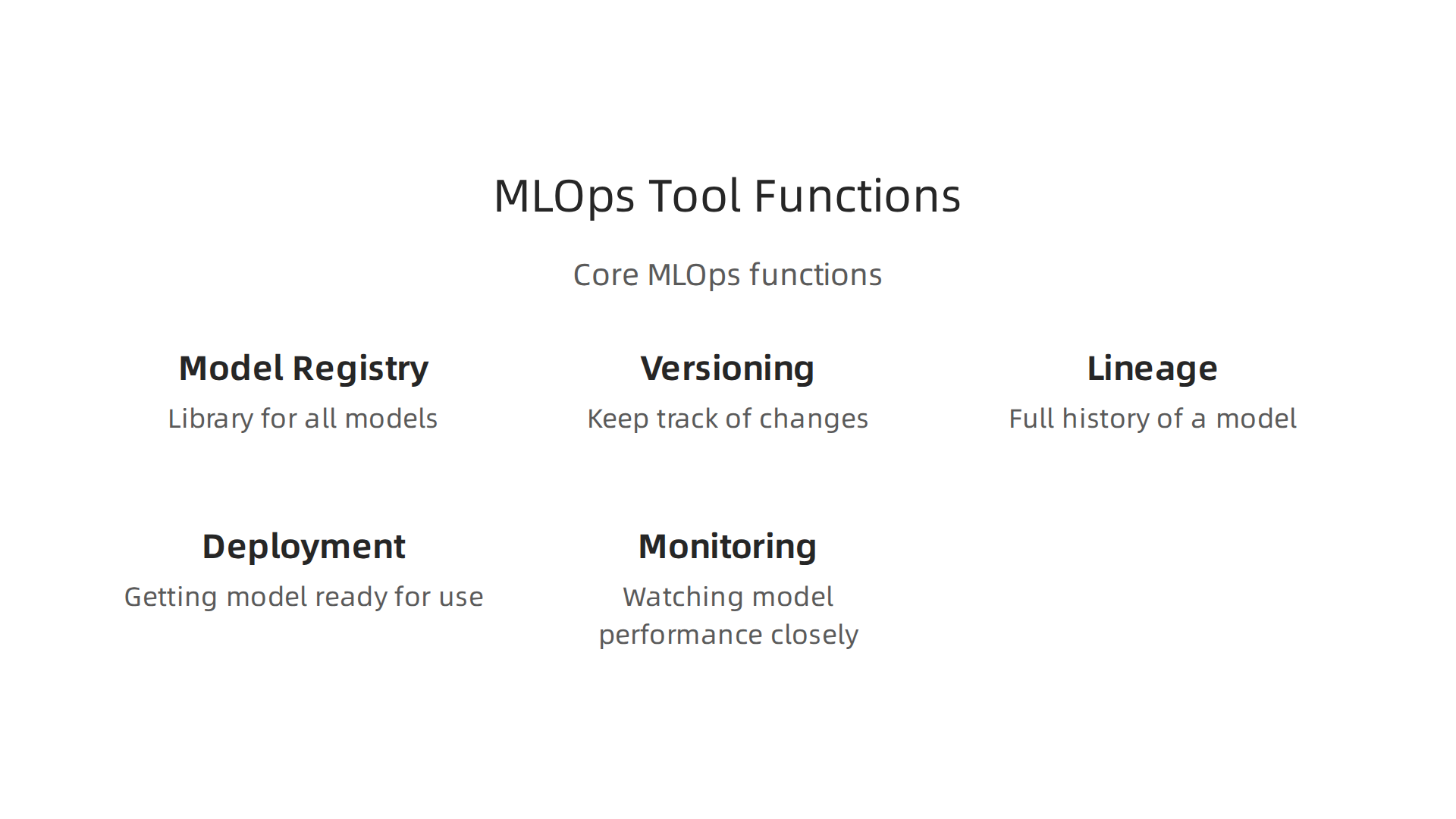
- Model Registry: Think of this as a library for all your AI models. It’s a central place where you keep every version of your models, along with details about how they were made and what they do. This makes it easy to find, share, and reuse models. Tools like MLflow are often used for this, offering a clear way to manage your models Top MLOps Tools in 2026.
- Versioning: Just like software code, AI models change over time. Versioning lets you keep track of all these changes. If a new version causes issues, you can quickly go back to an older, working version. This is very important for keeping your products stable. Many MLOps platforms in 2026, including Weights & Biases, offer good model versioning features Best MLOps Platforms 2026: MLflow, W&B, Comet Ranked.
- Lineage: This means knowing the full history of a model. It includes the data used to train it, the code that built it, and all the steps taken along the way. If something goes wrong, you can trace it back to its origin. This also helps meet rules and safety guidelines for AI systems, which are a big focus in 2026, as noted by the Guidelines for Secure AI System Development from CISA.
- Deployment: This is about getting the model ready to be used in your applications. MLOps tools help you put models into action quickly and safely. They can help you test new models with a small group of users before rolling them out to everyone.
- Monitoring: Once a model is running, it needs to be watched closely. Monitoring tools check if the model is still working as expected, if its predictions are accurate, and if there are any errors. If a model starts to "drift" (meaning its performance gets worse over time because the real-world data it sees is different from its training data), monitoring tools can alert you. This helps teams fix problems fast.
Different Needs for Different Teams
Not all teams use MLOps tools in the same way.
- Pure Machine Learning Teams: These teams focus mostly on building new AI models and doing research. They need MLOps tools that are great at tracking experiments, managing many model versions, and sharing findings. Tools like Comet ML or Weights & Biases are very popular for high-volume research and serious training teams in 2026 Best AI MLOps and ML Engineering Tools 2026. These tools help them explore new ideas without losing track of their work.
- Integrated Product Engineering Teams: These teams build products that use AI as one part of a bigger system. They care more about how AI models fit into the whole software. They need MLOps tools that work well with their existing development tools for code, testing, and deployment. They also care a lot about making sure the AI model is secure and stable, especially when dealing with sensitive information or critical systems Careful adoption of agentic AI services. For them, tools that offer strong deployment and monitoring are key.
Choosing the right list of AI tools for MLOps means thinking about what your team needs most. Whether it’s the flexibility of open-source options like MLflow or more complete platforms, these tools are essential for making sure AI models don’t just work, but work reliably and safely over time. Teams looking to improve how they manage AI can find more information on how to choose online bachelor degree programs for engineers in 2026 to upskill their staff. You might also look into specialized solutions like Turing AI, Eightfold AI, or Limitless AI if your specific needs match what they offer for machine learning and operational tasks.
After AI helps manage models through MLOps, the next big step is making sure software gets released often and easily. This is where DevOps and CI/CD come in. DevOps is a way of working that brings development and operations teams closer. CI/CD stands for Continuous Integration and Continuous Delivery. These are practices that help teams build, test, and release software faster and more reliably. Now, AI is making these processes even smarter, speeding up releases and taking away boring, repeated tasks.
DevOps, CI/CD and deployment: AI that speeds releases and reduces toil
AI tools are changing how teams handle DevOps and CI/CD. They can automate many parts of the software release process.

This helps developers, including any Java software developer on your team, work more quickly and with fewer errors.
Here’s how AI helps in deployment:
- Automating Pipeline Generation: Imagine building a new road. You need a plan for each step. In software, this is a "pipeline." It’s a set of automated steps to take code from a developer’s computer to customers. AI can now help create these pipelines almost by itself. This means less time setting things up and more time building great features.
- Updating Manifests: "Manifests" are like instruction sheets for deploying software. They tell the system how to run an application. AI tools can update these sheets automatically when changes happen, making sure everything is always correct and ready to go.
- Incident Triage: Sometimes things go wrong. A website might crash, or a new feature might not work. "Incident triage" is about finding out what the problem is and how important it is. AI can look at many signals to quickly spot issues and even suggest fixes, making sure problems get solved much faster. This reduces the "toil" or hard, repetitive work for human teams.
A good list of AI tools for deployment and testing is vital in 2026. For example, AI-augmented software testing tools help teams do continuous, self-optimizing tests. These tools use AI to make testing better and faster, as noted by Gartner Peer Insights. They can even generate and check test cases automatically, which saves a lot of time and manual effort, as shown in research on AI-Powered Test Case Generation and Validation.
Trade-offs and Guardrails for AI Automation
While AI brings many benefits, there are also things to consider. Automating everything might seem great, but it comes with trade-offs. If AI makes a mistake, it could cause big problems quickly across many systems. So, we need "guardrails" or safety measures.
These guardrails include:
- Human Oversight: Always have humans check important decisions made by AI, especially for critical deployments.
- Clear Rules: Make sure the AI knows exactly what it can and cannot do.
- Security First: Use AI tools that are built with security in mind. This is very important, especially as governments are promoting advanced AI innovation with a focus on security, as highlighted by Presidential Actions in 2026.
- Testing AI Tools: Just like any software, AI tools themselves need to be tested thoroughly to ensure they work correctly and safely.
Companies like Turing AI, Eightfold AI, and Limitless AI are constantly working on new ways to make these processes safer and more efficient. By using a smart approach to AI in DevOps and CI/CD, teams can truly maximize software development efficiency with AI tools, delivering high-quality software faster than ever before.
AI tools are changing how we build software, but they also bring new challenges, especially around security and privacy. Just like we set up guardrails for AI automation, we need to think deeply about the risks.
Security, privacy and compliance: assessing risk with AI tools
When using AI tools, teams must be careful about new types of dangers. These dangers can affect data, how AI models work, and even the tools themselves.
Here are some common security worries:
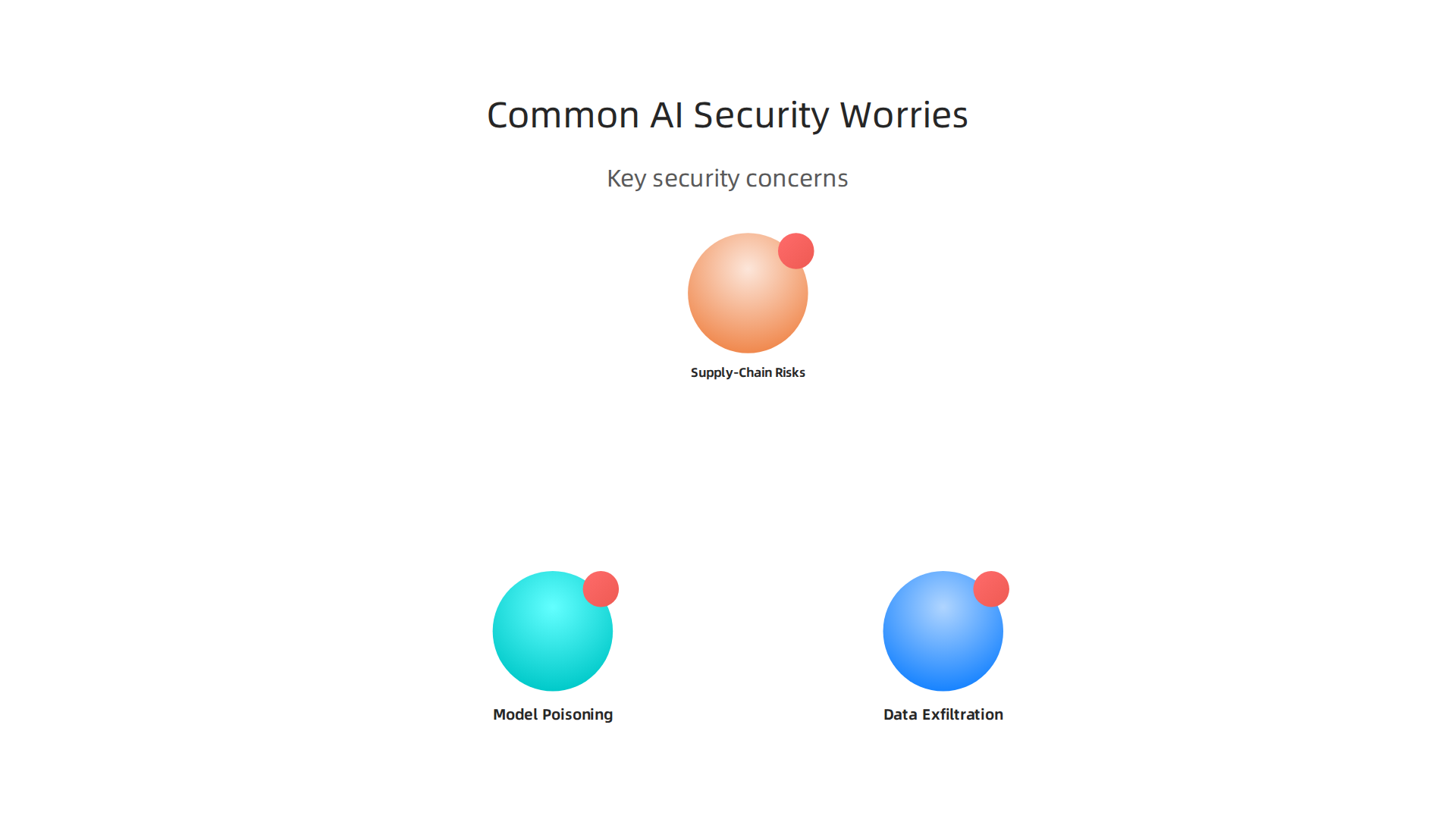
- Data Exfiltration: AI models need a lot of data to learn. If this data is not kept safe, it could accidentally or purposefully be taken from your company. This is like someone stealing important documents. To prevent this, CISA has provided important guidelines for Securing AI Data in 2026.
- Model Poisoning: This happens when bad or misleading data is fed into an AI model. It’s like teaching a student wrong facts. If an AI tool learns from poisoned data, it could start making wrong decisions or suggesting harmful things. Experts discuss ways to deal with this, including in presentations on Agentic Security-Threats, Mitigations and Challenges.
- Supply-Chain Risks: Many companies use ready-made AI tools or parts from other providers. If these third-party components have security flaws, they can create problems for your own software. This concern about AI and machine learning supply chains is highlighted in reports discussing AI and Machine Learning Supply Chain Risks.
Practical Controls and Compliance
To handle these risks, companies need clear rules and practices. Whether you’re a java software developer or part of a bigger team like Turing AI, Eightfold AI, or Limitless AI, you should follow certain steps:
- Follow Guidelines: Agencies like CISA offer helpful Guidelines for Secure AI System Development to help developers build safer AI.
- Check Third-Party Tools: Before bringing any outside AI tool into your workflow, always check it thoroughly. It’s wise to verify all parts of agentic AI services, as suggested in advice on Careful adoption of agentic AI services.
- Set Clear Rules: Every company needs its own rules for how AI tools are used. This ensures everyone understands what is allowed and what is not. The AI Risk Management Framework from NIST provides a good starting point for managing AI-related risks.
- Keep Data Private: Make sure that any sensitive information your AI tools use is kept private and secure. This might mean encrypting it or allowing only certain people to access it.
- Regular Checks: Keep an eye on your AI systems. Regularly check them to make sure they are working correctly and not causing new security problems.
When looking at a list of ai tools for your team, don’t just consider what they can do, but also how secure they are. It is crucial to evaluate AI tech products for engineering success, making sure they meet high security standards. This helps protect your company and your users. Setting a strong Future Standard for AI Implementation is vital for any team wanting to use AI safely and responsibly in 2026.
When you want to use AI tools, it’s not enough to just pick one. You need to know how to try them out, see if they work well, and then bring them into your daily work the right way. This process helps make sure the tools are safe and actually help your team.
Many companies are already using AI. In fact, by 2026, about 97% of software development companies are either using AI in their work or are looking into it very closely, showing how important it is to evaluate these tools carefully AI Reaches 97% of Software Development Organizations.
How to evaluate, pilot, and integrate AI tools: a step-by-step checklist
Choosing the right AI tools means you need a clear plan. Here’s a simple checklist to guide you through trying out new AI tools, like those you might find on any list of ai tools:
-
1. What do you want to achieve?
Before you even look at a tool, think about your goal. Do you want to write code faster? Find bugs more easily? Or maybe get help with complex tasks? Be very clear about what success looks like. For example, ajava software developermight want to speed up routine coding tasks. -
2. How will you measure success?
Once you know your goal, decide how you’ll know if the AI tool is truly helping. Will it be by saving time, reducing errors, or making your team happier? Set clear numbers or simple ways to check this. -
3. How will the tool handle your data?
This is very important. AI tools need data to work. Make sure you understand how the tool will keep your company’s information private and safe. Ask about data encryption and who can access it. -
4. Where will the tool fit in your work?
Think about how the new AI tool will connect with the systems you already use. Will it be for a small part of a project or a bigger change across your team? Decide on the size of your test run before you start. Companies likeTuring AI,Eightfold AI, orLimitless AIneed to think about how new tools affect their existing setups. -
5. What’s your backup plan?
Sometimes a tool just doesn’t work out. Have a plan for what you’ll do if the AI tool doesn’t meet your needs or causes problems. This could mean switching back to your old ways or trying a different tool.
Making Choices with a Decision Matrix
To choose the best tools from a [list of ai tools], it helps to use a simple chart called a decision matrix. This is like a scorecard where you compare different tools side by side.
Here’s how to do it:
-
List your important needs: Write down what matters most to your team. This might include:
- How well the tool does the job (its features).
- How easy it is to learn and use.
- How secure it is with your data.
- How much it costs.
- How well it works with other tools you use.
- How much support you get if something goes wrong.
-
Score each tool: For every tool you are looking at, give it a score for each of your needs. You can use a simple scale, like 1 to 5, where 5 is the best.
-
Add up the scores: The tool with the highest total score is likely the best fit for your team. This helps you look at all important parts, not just one flashy feature.
It’s crucial to evaluate AI tech products for engineering success by thinking about these points. This careful process makes sure you pick tools that truly help your team grow and work better.
To stay on top of all the fast changes in AI, you need good information every day.
Get clear daily AI updates from The AI Newsletter Worth Reading.
Summary
This guide helps developers and engineering leaders cut through the flood of AI developer tools appearing in 2026 by giving a practical, role-focused way to evaluate and adopt them. It explains which categories of tools matter for frontend, backend, ML, SRE and QA roles, and describes how code assistants, large-model generators and IDE copilots fit into daily work. The article also covers AI-driven testing, MLOps for model lifecycle management, and AI-enabled DevOps and CI/CD automation. It highlights key selection criteria—compatibility, maturity, security and cost—plus practical guardrails for safe automation. You’ll learn a step-by-step checklist to pilot tools, use a decision matrix to compare vendors, and apply simple rules to reduce risk while boosting productivity. By the end, readers will be able to pick, trial, and integrate AI tools that match their team’s goals and compliance needs.