

Alpha Technology Explained: What Developer Teams Need to Know in 2026
Overview
Introduction: Why ‘alpha technology’ matters for developer teams in 2026
Imagine trying to keep up with a river that’s always changing its course. That’s a bit like what developer teams face in 2026 with all the new AI tools. There’s a constant flood of new ideas, programs, and ways to build things. This fast flow of advanced technology can feel like too much information, making it hard to know what’s truly helpful. Teams are always looking for the best tools to make their work easier and better, but choosing can be tough.
This is where understanding "alpha technology" becomes super important. When a new software or tool is in its alpha stage, it means it’s an early version. Developers are still testing it out, often using it themselves to find any problems and make sure it works as planned Alpha and Beta Comparison to Technology Readiness Levels (TRL). It’s like a first try or a rough draft, meant for exploring ideas and prototyping solutions before it’s ready for everyone The Software Development Cycle.
In the world of massive AI and multi AI systems, new tools are coming out all the time. Being able to look at this early-stage alpha technology and figure out if it’s worth investing in is a huge skill. This guide will help you understand exactly what "alpha technology" means today. We’ll show you how your developer team can carefully check out these new tools and decide which ones can really help you build better products without taking too many risks.
Want to stay informed about the rapid changes in AI and technology? Get clear daily AI updates from The AI Newsletter Worth Reading.
What ‘alpha technology’ means: definitions, scope, and signals
To really understand how new tools can help your developer team, it’s good to know exactly what "alpha technology" means. Think of it like a brand new idea that’s just starting to take shape. It’s the very first step where developers test things out for themselves to see if the main idea works at all. It’s raw and fresh, made for finding problems and building ideas from scratch, not for everyday use

In 2026, "alpha technology" can show up in a few ways:
- Early Prototypes: These are rough versions of a product or feature. They’re built to test big ideas quickly. It’s all about trying different things to see what works best for users, even if it’s not pretty yet Alpha stage: testing hypotheses.
- New Platform Parts: Sometimes, a big company adds a brand new feature to its main platform, but it’s still in the "alpha" stage. This means it’s available for some users to try out and give feedback, but it might not be fully ready for everyone.
- API-First Services: Many new AI developer tools in 2026 are built with APIs, which let different software pieces talk to each other. An "alpha" API means it’s available for testing, but the way it works might change often.
How to spot ‘alpha technology’
You can often tell if a tool is still in its early "alpha" stage by looking for a few clear signs. These help you know if it’s something your team should just watch, or maybe even try out carefully.
Here are some signals that tell you a technology is in its alpha phase:
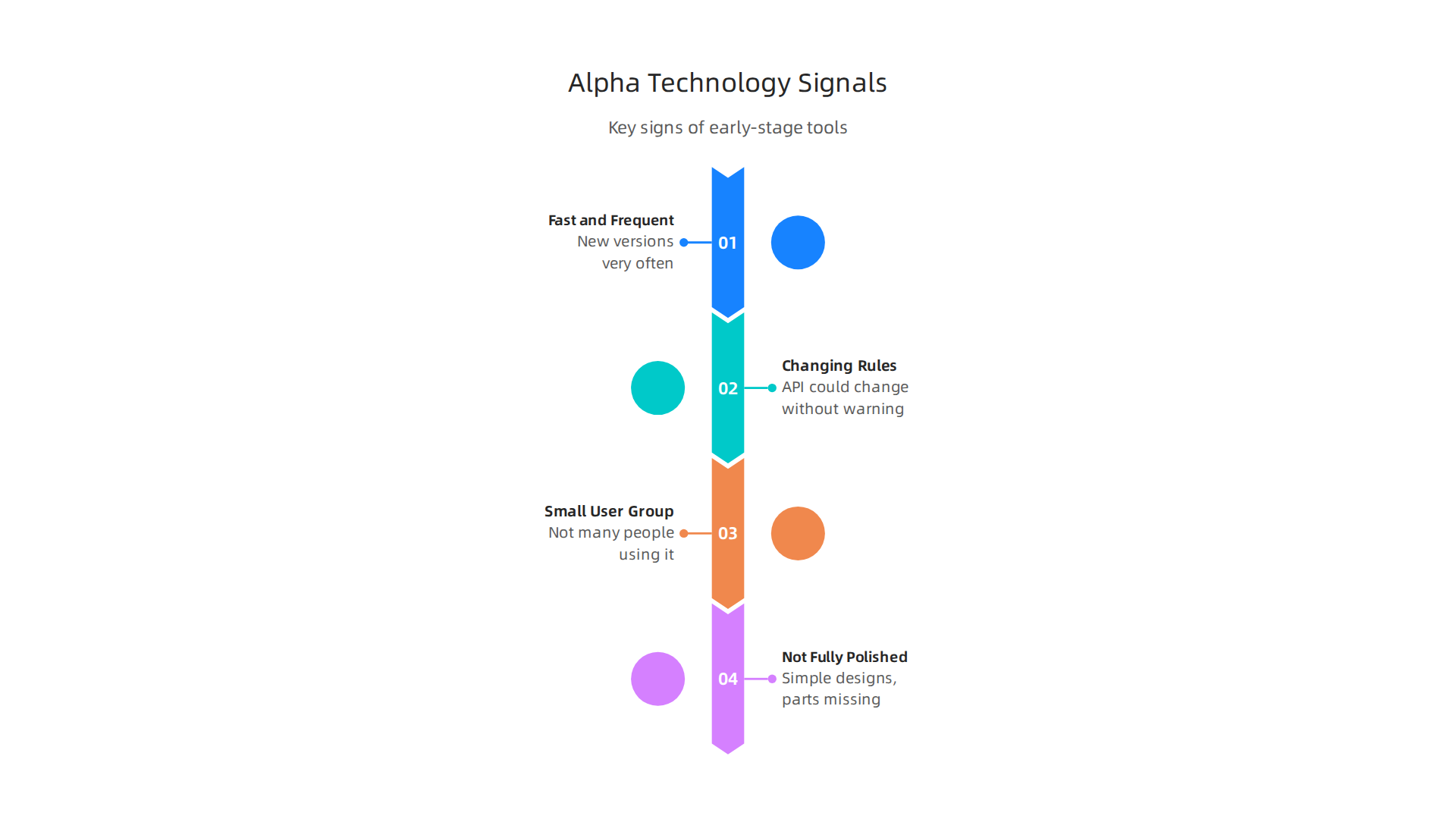
- Fast and Frequent Updates: Alpha tools change all the time. Developers push out new versions very often, sometimes every week. This is because they are fixing bugs and adding new ideas quickly.
- Changing Rules: The way you use the tool might not be set in stone. For software, this often means its API (the rules for how other programs connect to it) could change without much warning. This is a common way early versions work How do early version numbers work for new products?.
- Small User Group: Not many people or companies are using it yet. You might not find a huge online group or many examples of how people are using it in real life. It’s meant for a select few who are happy to try new things.
- Not Fully Polished: The tool might not look finished. It could have simple designs, some parts might be missing, or it might not work perfectly every time. This is because the focus is on making the core idea work, not on making it pretty. Experts use things like Technology Readiness Levels (TRLs) to measure how ready a technology is for use, and alpha stages are typically at the lower end of this scale.
By looking for these signs, your team can better understand if an advanced technology is a true alpha product. This helps you decide when it’s smart to explore it and when it’s better to wait for a more stable version.
Knowing what alpha technology is helps your team look ahead. In 2026, the world of AI developer tools is moving super fast. Many new tools are coming out in their early, "alpha" stages. These tools are changing how developers work. They cover many different needs, from writing code to making sure it runs well.
Here are some of the main types of AI developer tools to watch in 2026, especially those starting as alpha technology:
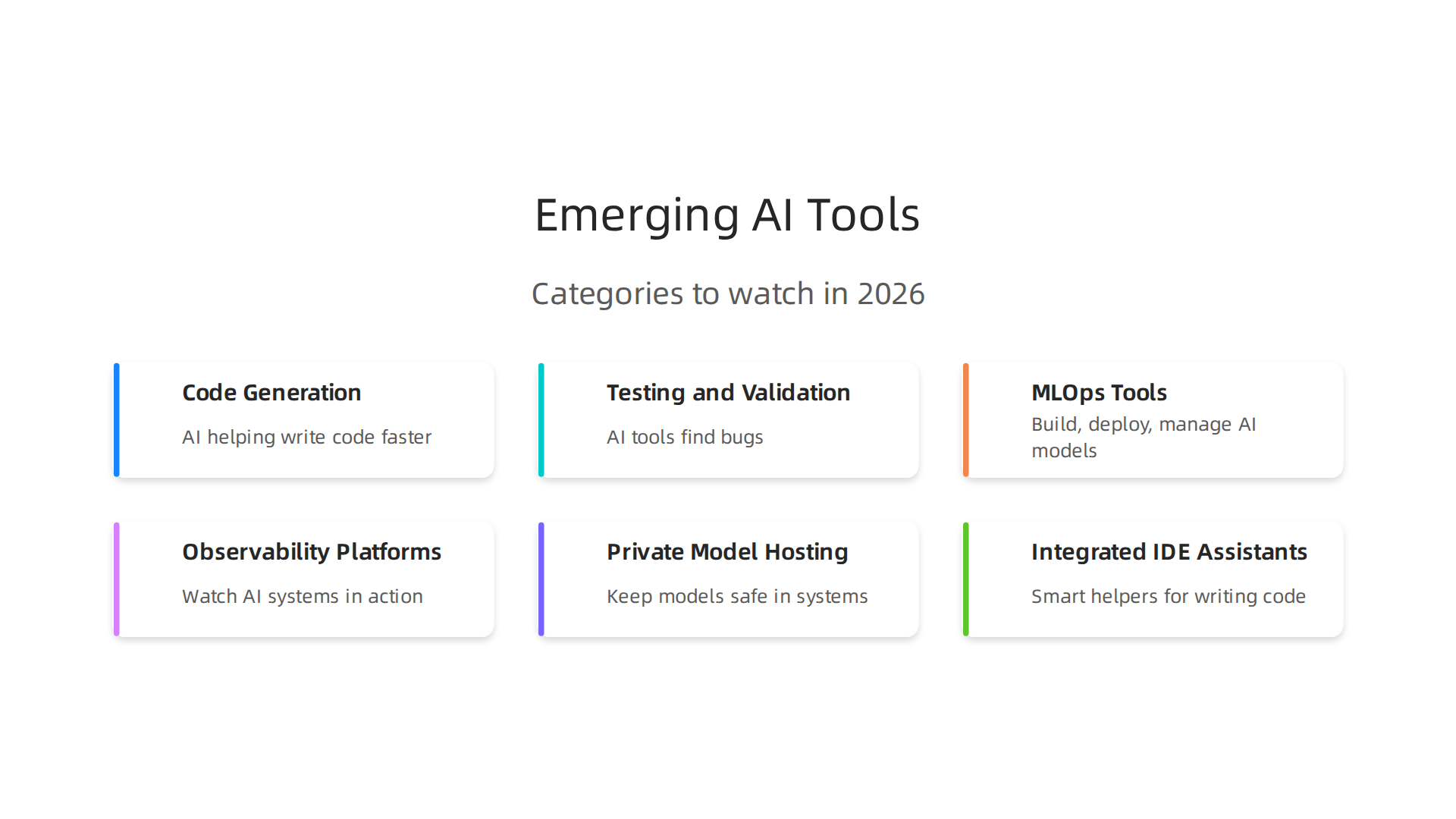
- Code Generation Tools: Imagine AI helping you write code faster. These tools can suggest code snippets, complete lines, or even write whole functions based on what you need. New alpha versions might try out very smart ways to understand your project and write code that fits perfectly. They aim to make developers much more productive.
- Testing and Validation: Making sure code works right is a big job. AI tools can help by finding bugs or testing how well your software holds up. Alpha tools in this area might use new AI ideas to check code automatically, looking for problems that human eyes might miss.
- MLOps Tools: This is about helping teams build, deploy, and manage AI models smoothly. Think of it as a set of tools that help you take an AI idea from an experiment to something real that users can interact with. New alpha MLOps tools often focus on making complex steps much simpler, especially for multi AI projects that involve many different smart systems.
- Observability Platforms: When you build something, you want to see if it’s working well. Observability tools let you watch your AI systems in action. Alpha tools here might offer new ways to understand how your AI models are performing, catching issues before they become big problems.
- Private Model Hosting: Companies often have their own special AI models they don’t want to share with everyone. Alpha tools for private model hosting let teams keep their models safe and use them within their own systems. These tools are often built to be very secure and customizable.
- Integrated IDE Assistants: An IDE is where developers write code. AI assistants built right into these programs are like smart helpers. They can do many things, from explaining code to helping you fix errors. The newest alpha versions of these assistants are trying to be even smarter and blend into your workflow more naturally. For example, some tools are now offering multi-agent review architecture to help with code reviews Best AI Tools for Developers in 2026 Across the Full SDLC.
How alpha tools differ from what you know
When you look at these emerging categories, it’s clear that alpha-stage tools are different from the older, more stable ones. Established tools, or "incumbents," are usually reliable and have many features. But they might not always have the very latest AI breakthroughs.
Alpha tools, on the other hand, are often focused on one new, exciting idea. They might not be as complete or steady as older tools, but they offer a peek into the future of advanced technology.

You can think of it like this: in 2026, AI is quickly moving from just being experimented with to being used in real businesses AI Trends and Outlook for 2026.
For engineering teams, this means a few things:
- New Ways to Solve Problems: Alpha tools might help you do things you couldn’t do before, or do them much faster.
- Faster Changes: Expect alpha tools to change often. This means your team needs to be flexible and ready to update how you use them.
- Getting Ahead: By trying out promising alpha technology early, your team can learn new skills and gain a competitive edge. This helps you build future-proof AI applications.
Exploring these new tools can be a smart move, but it’s important to pick them carefully. You’ll want to know how to evaluate what truly helps your team. Learn more about how to make smart choices for your team with our guide on how to evaluate AI tech products for engineering success.
Staying on top of these fast-changing AI trends is key for any developer.
The world of AI is always evolving, and it can be hard to keep up. Get clear daily AI updates from The AI Newsletter Worth Reading.
Bringing advanced AI tools into your daily engineering work can be very exciting. After you pick the right tools, the next big step is to add them to your projects safely. This is especially true for alpha technology, which is still new and changing fast. Here are some simple steps to help your team use these smart systems without big risks.
Safe Ways to Try Out New AI Tools
When working with cutting-edge AI, it’s wise to test things out in a controlled way first.
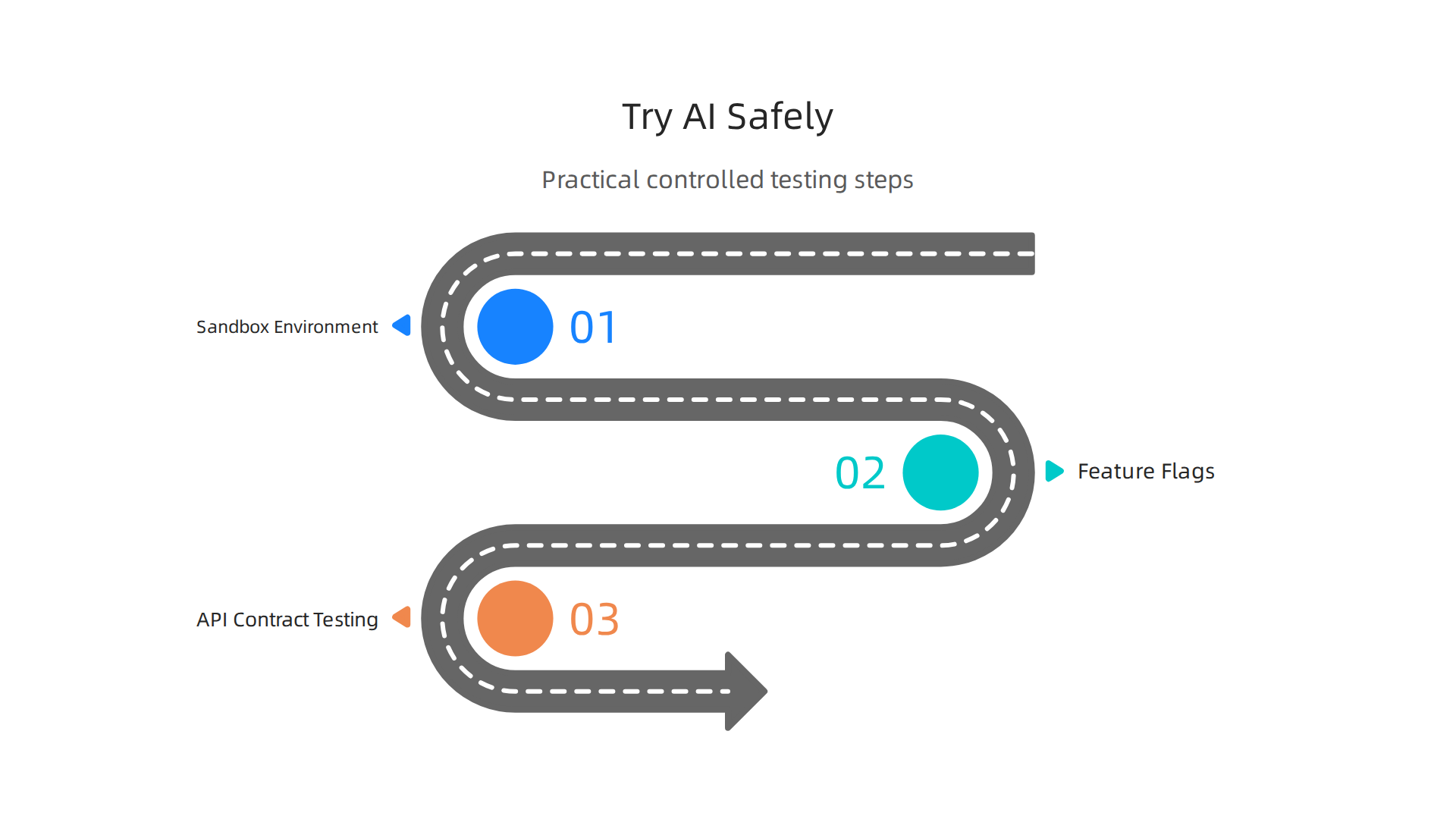
- Use a Sandbox Environment: Think of a sandbox as a safe play area for your code. You can try new alpha technology here without it affecting your main projects. This lets you see how the advanced technology works and if it causes any problems, all in a safe space.
- Feature Flags: Imagine having an on/off switch for new parts of your software. That’s what feature flags do. They let you turn new AI features on for only a few users, or even just your team. If something goes wrong, you can quickly turn it off. This helps you smoothly bring in new tools that might involve multi AI systems without stopping everything.
- API Contract Testing: New tools need to talk to your existing systems. API contract testing is like checking if they speak the same language. It makes sure that the messages sent between your AI tools and other parts of your software are understood correctly. This is important for smooth integration and helps avoid unexpected issues when you’re dealing with complex systems.
Making AI Tools Part of Your Workflow
Once you have a safe way to experiment, you can start building these advanced AI tools into your regular work.
- Continuous Integration and Delivery (CI/CD): This is about automating your work steps. When you use alpha technology, you want to make sure new code is tested and delivered often and smoothly. For AI, this means setting up pipelines that automatically test your code and models. It also includes steps for putting new models into action, often called MLOps. Tools like Git for code and DVC or LakeFS for data help keep everything organized and tracked, which is key for successful MLOps practices in 2026 and beyond 8 MLOps Best Practices You Should Implement in 2026. Using these methods helps ensure that your AI applications are built with care, reducing risks even with early-stage tools MLOps in 2026 — The Definitive Guide: tools, cloud platforms …. For more insights on this, you can explore guides on smart technologies for engineering teams: pick, integrate, scale.
- Model Packaging: When you have a working AI model, you need to get it ready to be used by other parts of your software. This is called model packaging. It means putting your model and all its necessary parts into one neat package so it can be easily deployed. This helps when you scale up to massive AI projects.
- Observability Platforms: After your AI tools are running, you need to watch them closely. Observability platforms let you see how your AI models are working in real-time. They help you catch problems early and understand if the advanced technology is performing as expected. This way, you can fix issues before they become big headaches and ensure your AI systems are reliable. It’s vital to embed security checks throughout this process, from code commit to model deployment, ensuring bias testing and security scans are routine MLOps in 2026: Best Practices for Scalable ML Deployment.
By following these practical steps, your engineering team can bravely explore and integrate new AI developer tools. You can take advantage of the latest alpha technology while keeping your projects stable and secure. This approach helps you build better software faster and stay ahead in the ever-changing world of AI. If you want to dive deeper into making your AI projects successful, check out how to build your AI innovation lab from experiments to production impact.
After setting up safe ways to try out new AI tools, the next big question is: are they actually helping? To truly know if the alpha technology or any advanced technology you’re bringing in is worth it, you need to measure its success. This means looking at how much your team’s work improves and the value you get back from your investment.
What Numbers Really Matter for Your Team?
For engineering teams, there are key numbers, or "KPIs" (Key Performance Indicators), that show if new tools are making a difference. These are like your scorecards for how well your team is doing:
- Cycle Time: This is how fast your team can take an idea and turn it into working software that users can see. Faster cycle times often mean your team is more efficient. New AI developer tools should help speed up this process, from writing code to testing it.
- Defect Rate: This counts how many bugs or errors your software has. Fewer bugs mean higher quality. Smart AI tools can help catch mistakes earlier, leading to a lower defect rate.
- Developer Experience: This is about how happy and productive your developers feel. If a new AI tool makes their work easier and more enjoyable, that’s a big win. Tools that reduce boring tasks or help them learn new skills can greatly boost developer satisfaction.
- Deployment Frequency: How often your team puts out new software updates is also important. More frequent updates can mean your team is more agile and responsive. MLOps practices, which help automate the release of AI models, are key for this in 2026. For more on this, you can look at The Ultimate Guide to MLOps Best Practices in 2026.
It’s helpful to combine these metrics, such as using DORA metrics (deployment frequency, lead time for changes, change failure rate, time to restore service) with SPACE dimensions (satisfaction, performance, activity, communication, efficiency) to get a full picture of developer productivity in 2026. You can learn more about this in articles discussing how to measure developer productivity in 2026.
Running Small Tests to See Real Value
Before you widely adopt any new AI tool, especially a new multi AI system or cutting-edge advanced technology, it’s smart to run small, focused tests called "pilots." These pilots help you see real results and build confidence.
Here’s how to do it:
- Pick a Small Project: Choose a small part of your work where the new AI tool might help. Don’t try to change everything at once.
- Set Clear Goals: Decide exactly what you want to improve. For example, "We want to reduce the time spent on writing test code by 20% using this new AI assistant."
- Measure Before and After: Track your chosen KPIs before you introduce the tool and after a set period (like a few weeks or a month). This "before and after" comparison is crucial.
- Look for ROI: ROI stands for Return on Investment. It asks, "Did the benefits we gained from this tool outweigh its cost and effort?" For example, if a tool saves your developers many hours, you can calculate the developer time saved and compare it to the tool’s price. Seeing clear gains in productivity or quality gives you strong reasons to use the tool more widely.
By running these focused pilots, you gather real evidence. This helps your team and leaders understand the true impact of advanced AI tools. It shows that adopting new AI developer tools isn’t just a guess, but a smart move based on solid numbers.
To stay on top of the fast-changing world of AI and technology, consider getting daily insights directly. The AI Newsletter Worth Reading
After seeing how new AI tools can boost your team’s work, it’s just as important to make sure they are safe. When you bring in new alpha technology or any advanced technology, especially those still being tested, you must think about security and privacy. You want these tools to help, not cause new problems.
Key Risks with Alpha AI Tools
Using new AI tools, even multi AI systems, comes with some risks you need to watch out for. These risks can affect your company’s data and trust:
- Data Leakage: This happens when sensitive company information accidentally leaves your systems. Alpha AI tools might not have strong enough protections, meaning your secret data could be shared without you knowing.
- Model Leakage: The "brain" of an AI tool is its model. If this model gets out, it could expose how your AI works or even your own business secrets.
- Supply Chain Risks: When you use an AI tool, you’re also trusting the company that made it and all the other tools they used. If one part of this chain has a weakness, your system could be at risk. The Department of Defense has noted the importance of understanding
AI supply chain risksto avoid problems. You can learn more about these risks in a PDF on AI and machine learning Supply chain risks. - API-level Problems: APIs are like doorways that let different software talk to each other. If these doorways in a new AI tool are not secure, hackers could sneak in or take your data.
Smart Steps for Safety and Privacy
Before you let any alpha technology get close to your important data, you need to set up clear rules. Think about these steps to keep everything safe:
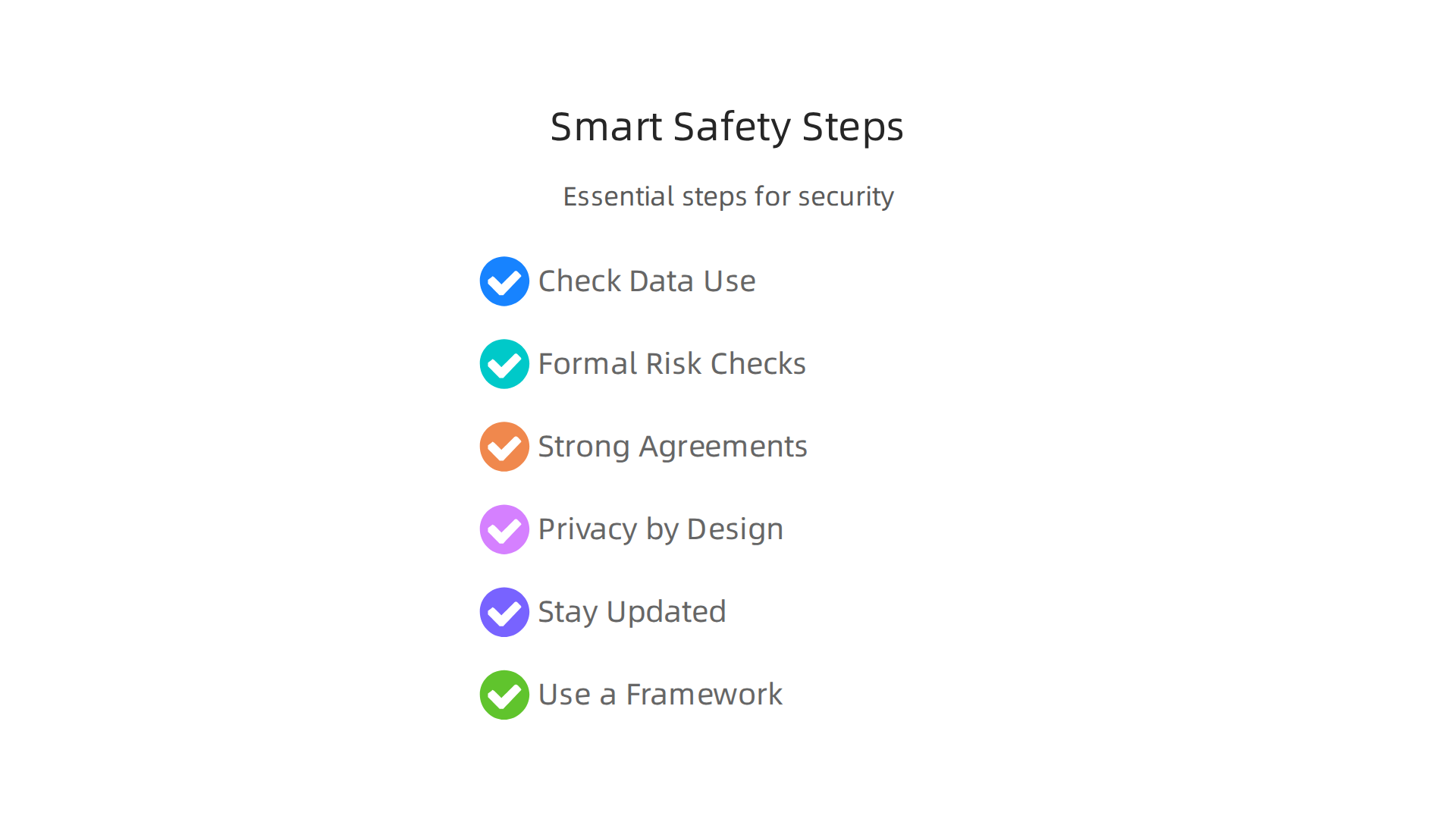
- Check How Data is Used: Understand exactly what data the AI tool needs and where it sends that data. You should always ask if the tool truly needs your sensitive information. For example, some government policies, like the UK’s, outline how to apply data protection rules to AI systems, stressing explicit approval for data use, as explained by the Artificial Intelligence Security Policy.
- Formal Risk Checks: Don’t just hope for the best. You need to do special checks called Data Protection Impact Assessments (DPIAs) for any new AI system that handles important or risky data. These checks help you find and fix problems before they happen. In 2026, many places have new rules for this, including those highlighted in a 2026 data security and privacy compliance checklist.
- Strong Agreements with Vendors: If you’re using an AI tool from another company, make sure you have strong contracts that spell out who is responsible for data safety. The ICO, a UK data watchdog, offers guidance on contracts and third parties when using AI systems.
- Privacy by Design: This means building privacy protections into the AI tool from the very start, not adding them later. Look for tools that use methods like anonymization, which means removing identifying details from data. This is a key part of how you should assess security and data minimization in AI.
- Stay Updated on Rules: Laws about AI and data privacy are changing all the time in 2026. Keep an eye on new rules like the EU AI Act, which will be fully active soon. Many resources, like a Data Privacy Compliance Guide for Intelligent Systems 2026, can help you follow these rules.
- Use a Framework: Tools like the NIST Privacy Framework can help your company manage risks and improve privacy when dealing with new
AIand other advanced technologies. This framework offers a way to build a strong privacy program.
By being very careful with security, privacy, and following the rules, you can enjoy the benefits of massive AI and new AI developer tools without opening the door to big problems. This means knowing how to evaluate AI tech products for more than just performance, but also for safety. Your team needs clear rules now for the future standard for AI implementation.
Bringing in new AI tools safely is just one part of the puzzle. Once you know your tools are secure, you also need to make sure your team knows how to use them well. This often means helping engineers learn new skills or bringing in people who already have them.
Addressing Skill Gaps: Training, Hiring, and Change Management
When new advanced technology like alpha technology comes into your workflow, your team needs to adapt. Closing skill gaps is about helping current engineers learn and finding new talent when needed. It’s also about guiding everyone through these changes smoothly.
Upskilling Your Engineers for AI Tools
Training your current team is usually the best first step. Most employees feel they only need a few hours a week to get better at AI skills, but many companies don’t give them this time. Short, hands-on training that connects directly to their jobs works best, not just long, abstract classes.
Here are ways to help your engineers grow:
- Quick Learning Modules: Break down new AI skills into small, easy-to-digest parts. Think of 30 to 60-minute lessons that focus on real tasks. This way, learning doesn’t get in the way of daily work. Companies like X-Team have even launched programs to help close the AI skills gap with many courses, showing how important this is X-Team Launches X-Academy 2.0 to Close the AI Skills Gap.
- Hands-On Practice: Engineers learn best by doing. Give them projects where they can use new AI tools in a safe space. This helps them get comfortable without fear of breaking anything important. Some studies even suggest that using AI tools can speed up how fast developers get used to new processes and produce code Role of GenAI-Powered Code Assistants in Accelerating Developer ….
- Mentorship and Peer Learning: Let experienced AI users help others. Setting up a buddy system or special groups where engineers can share what they learn makes the process easier for everyone.
- Tailored Learning Paths: Not every engineer needs the same training. Offer different paths based on what they do. For example, some might need to know how to set up
multi AItools, while others need to be good at giving smart commands to AI systems. You can find many resources, including free IT courses online in 2026, to help guide these tailored paths. - Focus on the "Why": Explain how using
massive AIand other tools will make their jobs better, not just harder. This helps them see the value in learning new things.
It’s important to know that while AI tools can make developers faster, some research suggests they might not always help with deep understanding or learning new coding libraries without careful use How AI Impacts Skill Formation. So, training should focus on both speed and real learning.
If you want to stay on top of the latest AI trends and insights that can help with team training and development, make sure you don’t miss out. Get clear daily AI updates from The AI Newsletter Worth Reading.
Learning to use new tools is a big step, but before you can do that, you have to pick the right ones. Choosing the best vendors and platforms for alpha technology or any advanced technology can feel tricky. You want to make sure the tools you bring in will truly help your team, not cause more problems. This is where a clear checklist comes in handy.
Decision Checklist for AI Vendors
When looking at different AI tools, it’s smart to have a plan for how you will choose. Think of it like a shopping list for important tech. Many companies use special software to help them evaluate suppliers, like the tools mentioned in the Best Supplier Evaluation Software (2026) guide. But you can also do it with a good checklist. Here are key things to check:
- Does it fit your needs? This is about "technical fit." Does the
alpha technologyormassive AItool actually do what you want it to do? Does it solve your team’s specific problems? If you need a tool that can handlemulti AItasks, make sure it truly can. You can find useful templates to help with this, like the AI Vendor Evaluation Checklist which helps score different features. - Is it reliable and stable? Look at their Service Level Agreements (SLAs). These are like promises about how often the tool will be working and how fast they fix things if something goes wrong. A stable tool is important for keeping your work flowing.
- How good is its security? This is a huge one. When you use outside tools, especially
advanced technologylike AI, you need to know your data is safe. The UK government, for example, has clear rules on Artificial Intelligence Security Policy that show how important this is. Ask about their data protection and privacy plans. You want to make sure they follow rules like GDPR. Understanding how to assess security and data minimisation in AI is crucial. - What are the integration costs? How much time and effort will it take to connect this new tool to the systems you already use? Sometimes the upfront cost of a tool is low, but getting it to work with everything else can be expensive.
- What’s the exit plan? It’s not fun to think about, but what if this tool doesn’t work out? How easy is it to switch to something else? Can you get your data out easily?
Having a detailed checklist can help you make a smart choice. Resources like the AI Vendor Evaluation Checklist (Free Template) or a general Vendor Evaluation Framework for AI Tools can guide you.
Running Fair Trials and Gathering Data
Once you have a shortlist of potential vendors, it’s time to test them out. This means running trials to see how well each tool works in real life. You need to make sure these tests are fair so you can truly compare one tool to another.
- Define your tests: Before you start, decide exactly what tasks you will ask each
advanced technologytool to do. Make these tasks real things your engineers would use the tool for every day. This helps you figure out how to evaluate AI tech products for engineering success. - Use the same tasks for everyone: Give every vendor’s tool the exact same problem to solve. This way, you can compare results side by side.
- Capture comparable data: As your team tests the tools, have them write down what they find. How easy was it to use? How accurate were the results? How fast was it? Using a scorecard or a simple rating system for each point on your checklist can help you compare them fairly. Tools exist to help with this, for example, the Vendor Evaluation Software & RFP Scoring Platform.
- Get team feedback: Ask the engineers who are using the tools what they think. Their daily experience is very important.
By following these steps, you can confidently choose the best alpha technology platform that truly helps your team and makes your work better. It’s all about making informed decisions to select AI software development tools for your 2026 team.
Summary
This article explains what