
Best AI Apps for Developers in 2026
Overview
Introduction
Are you feeling buried by the flood of new AI apps hitting the market every week? You are not alone. In 2026, the pace of AI app development has sped up so fast that keeping track of the best tools feels like a full time job. According to the latest research, 84% of developers now use or plan to use AI tools in their workflow, a sharp jump from just two years ago. That number comes from the Stack Overflow Developer Survey 2025, and it shows how quickly these tools have become essential.
The problem is that with hundreds of options, it is easy to waste time testing tools that do not actually help you ship code faster or write better software. Some tools promise the world but fall short on real world performance. Others shine in specific tasks but get buried by the noise. That is where this article comes in.
We have cut through the hype to bring you a clear, practical look at the most impactful AI apps for developer productivity in 2026. Our evaluation is based on recent benchmarks, real user feedback, and hands on testing. We looked at tools like Cursor, GitHub Copilot, Claude Code, Tabnine, and others, comparing them side by side on speed, accuracy, code quality, and workflow fit. The goal is simple: help you pick the right AI assistants for your team without the guesswork.

If you want to go deeper into how different models stack up, check out our AI model comparison for 2026, which breaks down the major players from GPT 4o to open source alternatives.
The AI landscape changes week by week. Staying on top of the latest tools and trends is critical if you want to keep your team productive and competitive. That is why we recommend signing up for The Deep View Newsletter, a daily source of clear, no fluff AI updates written for developers and technical leaders like you.

Get the newsletter here and never miss a key update again.
Now, let’s dive into the best AI coding assistants of 2026 and see which ones actually deliver.
1. The 2026 Landscape of AI Apps for Developers
The AI developer tools market in 2026 is not the chaotic explosion it was even two years ago. It has matured quickly, and that is a good thing. Instead of a wild west of random chatbots and half baked plugins, we now see clear categories of ai apps that do specific jobs well.
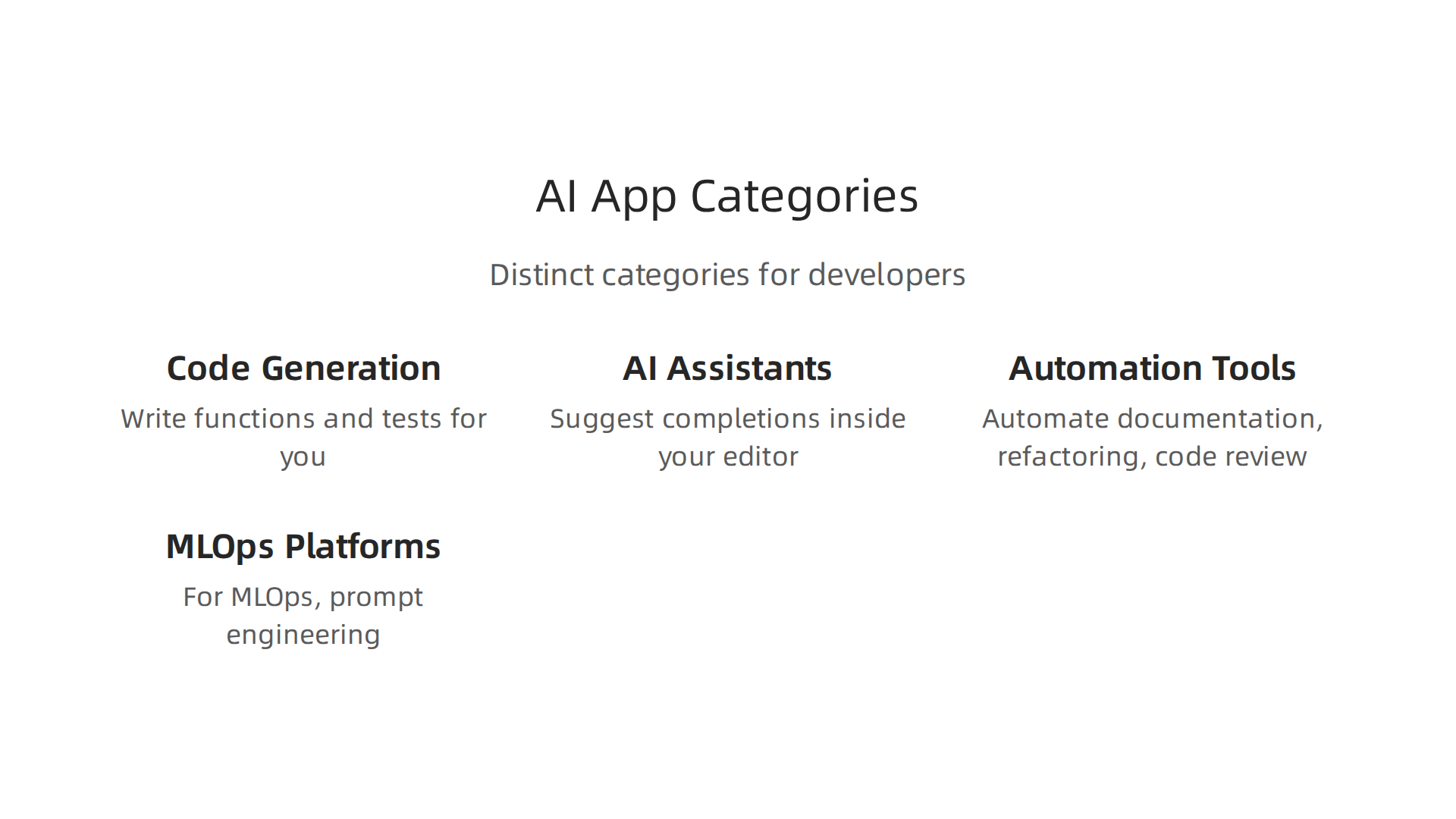
You have code generation tools that write functions and tests for you. You have AI assistants that sit inside your editor and suggest completions. You have tools that automate documentation, refactoring, and code review. And you have platforms for MLOps, prompt engineering, and AI agent orchestration. Each category solves a real problem in the software development lifecycle.
Enterprise adoption is the biggest driver of this maturity. Companies are no longer just experimenting. They are deploying ai app development tools at scale because they see measurable productivity gains. As of early 2026, the share of AI generated code has surged to nearly 50%, according to recent data from Netcorp. And 65% of professional developers now use AI coding tools at least once per week, as reported by Swfte AI. These are not small shifts. They are signs of deep integration.
The Stanford HAI 2026 AI Index Report highlights that generative AI adoption reached 53% of the population within three years, faster than the PC or the internet. For developers, the adoption curve is even steeper. The Stack Overflow 2025 survey (n=49,000+) found that 84% of developers now use or plan to use AI tools in 2026. That same survey is cited in multiple sources, including a detailed breakdown at uvik.net.
But with scale comes complexity. Teams now face a choice between open-source and commercial tools. Open-source options like LangChain or local models give you full control and data privacy. Commercial tools like Cursor or GitHub Copilot offer polished experiences and dedicated support. Each side has trade-offs in cost, performance, customization, and reliability.
For example, low-code AI platforms have also exploded in 2026. Platforms like Vybe and Langflow let you build AI apps using natural language. If you are exploring how to bring AI into your workflow without a massive rewrite, these options are worth a look. The ecosystem is rich enough that you can choose tools that match your team’s size, skill level, and security requirements.
Understanding this landscape helps you avoid wasting time on tools that do not fit. For a deeper look at how open-source and commercial models compare, check out our article on AI model comparison for 2026. It covers GPT-4o, Claude 4, Gemini 2.0, and more.
The key takeaway? The market is mature enough that you can pick tools with confidence. But you need to know what you are choosing between.
2. AI Coding Assistants: Beyond Autocomplete
Now that you understand the overall landscape of ai apps, let’s zoom in on the category that has changed how most developers write code every day: AI coding assistants. These tools have grown far beyond the simple autocomplete you might remember from a couple of years ago.
In 2026, a good coding assistant does not just guess the next word. It suggests entire functions, generates test cases, and even refactors whole blocks of code. The idea is to let you focus on the hard parts while the assistant handles the repetitive work.

This shift has made ai app development faster for teams of all sizes.
Who Are the Main Players?
You have three big names that come up in almost every conversation: GitHub Copilot, Cursor, and Tabnine.

Each one has its own strengths.
- GitHub Copilot: The most widely used option. It runs inside VS Code, JetBrains, and other editors. In 2026, Copilot scored 56% on the SWE-Bench test, which measures how well AI can solve real GitHub issues. That is a solid benchmark, as reported by Tech Insider.
- Cursor: This one is a fork of VS Code with AI deeply built into the editor. It is about 30% faster than Copilot in terms of response time, but it scores slightly lower on SWE-Bench at 51.7%. Still, many developers love its agent mode and deep understanding of your whole codebase.
- Tabnine: Known for its strong focus on privacy. It can run completely offline if you need it to. Tabnine also offers customizable models that you can tune to your team’s coding style.
Other tools worth mentioning are Claude Code, Windsurf, and Amazon Q Developer. The market is crowded, but these three remain the most popular choices in 2026. For a full breakdown of features and pricing, check out this detailed comparison at Vibe Coding Academy.
What Metrics Actually Matter?
When you compare ai apps like these, keep three things in mind:
- Code acceptance rate: How often does the AI suggest code that you actually keep? Higher is better. The best tools now hit between 30% and 40% acceptance, depending on the task.
- Latency: Speed matters a lot when you are typing. Cursor leads here with near-instant suggestions. Copilot has improved but can still feel slower during peak times.
- Privacy compliance: If your company handles sensitive data, Tabnine’s offline mode is a big win. Copilot and Cursor both offer enterprise tiers with data residency options, but you need to check the fine print.
A Quick Side-by-Side
| Tool | SWE-Bench Score | Starting Price | Privacy Option |
|---|---|---|---|
| GitHub Copilot | 56% | $10/month | Cloud only |
| Cursor | 51.7% | $20/month | Cloud only |
| Tabnine | Not disclosed | $12/month | Offline available |
Data from Tech Insider and Neura Market.
How to Choose
Your choice depends on your team’s needs. If you want the highest code quality score and lowest price, Copilot is hard to beat. If speed and a deep understanding of your code matter more, take a look at Cursor. If your boss says no cloud AI under any circumstances, Tabnine is your friend.
But picking a tool is only the first step. You also need rules for how your team uses these assistants. That is why we wrote a guide on the future standard for AI implementation. It covers exactly what policies your team should set up to get the most out of AI without risking security or quality.
Stay in the Loop
The AI coding assistant space changes fast. New versions drop every few weeks. If you want to keep up without spending hours reading every blog post, try The Deep View Newsletter. It gives you clear, daily updates on the most important AI developments, including new tools and best practices for developers.
3. AI-Powered Testing and Debugging Tools
Writing code is one thing. Making sure it actually works is another. That is where AI-powered testing and debugging tools come in. They help you catch bugs early and save hours of manual work.
In 2026, the best tools do not just find errors. They automatically generate unit tests, functional tests, and even detect regressions before you ship. This changes how teams approach quality assurance entirely. Instead of writing hundreds of test cases by hand, you let the AI do the heavy lifting for you.
How These Tools Work
AI testing tools learn from your codebase. They look at your function signatures, existing tests, and usage patterns. Then they create new tests that cover edge cases you might have missed. Tools like testRigor and Mabl are popular for this. They also use AI to self-heal tests when your UI changes, which saves a ton of maintenance time.
AI-driven linters are another piece of the puzzle. They scan your code for potential bugs and style issues in real time. Combined with AI test generators, these tools can cut your QA time by up to 40% according to many teams.
According to a 2026 guide from DigitalOcean, these AI testing tools help teams deliver bug-free software faster by automating manual regressions. That is a big win if you are shipping often.
The Real Challenges
It is not perfect, though. AI generated tests can be flaky. They might pass one day and fail the next for no clear reason. You also have to watch for model biases. If your AI was trained mostly on web apps, it might generate poor tests for backend services.
Another issue is that AI test tools sometimes create too many redundant tests. You still need a human to review what the AI suggests. As noted in a Rainforest QA article on AI testing tools, you need to understand the pros and cons of each approach to avoid wasted effort.
Where This Fits in Your Workflow
AI powered testing is becoming a standard part of modern ai app development. Whether you are building a simple tool or a complex platform, these ai apps for testing can catch problems early. But you still need clear rules for how your team uses them.
If you are setting up an AI testing workflow, you probably want guidelines around test quality and review. We put together a guide on the future standard for AI implementation that covers exactly the policies your team needs. It helps you avoid common pitfalls.
Stay Current
The world of AI testing tools moves fast. New options appear every month. To keep up without spending hours digging through blogs, try The Deep View Newsletter. It gives you clear daily updates on the most important AI developments, including new testing tools and best practices.
4. AI for DevOps and Deployment Automation
Testing is only half the story. Once your code passes tests, you still have to ship it to production. And if you have ever had a deployment fail at 2 AM, you know how painful that can be. That is where AI for DevOps and deployment automation saves the day.

In 2026, AI does not just help you write and test code. It also helps you deliver it safely and efficiently. According to a guide on AI transforming CI/CD in DevOps, AI predicts build failures before they happen and optimizes how your pipeline uses resources. That means fewer failed builds and faster deployments.
How AI Supercharges Your CI/CD Pipelines
Think of your CI/CD pipeline as a factory line for software. AI tools act like smart supervisors that watch every step. They learn from past builds to spot patterns. If a certain commit usually leads to a broken build, the AI flags it early. As noted in an article on AI-powered DevOps from DevOps.com, AI brings intelligence to the pipeline so you can catch issues before they reach production.
These tools also pick the most relevant test cases to run. Instead of running every single test on every commit, the AI chooses a smart subset. This cuts down build times a lot. A guide from Geeks Solutions mentions that AI selects the best test cases and detects flaky or redundant tests. That is a huge time saver.
Intelligent Monitoring and Incident Response
Once your app is live, you need to know if something goes wrong. Traditional monitoring gives you alerts that sometimes feel like noise. AI-powered monitoring tools filter the noise and tell you what actually matters.
For example, tools like Harness offer AI-driven deployment verification. They compare your current deployment to past ones and spot anomalies. This helps you roll back fast if something is off. A list of top DevOps AI tools from Metoro highlights how platforms like Harness automate workflows and verify deployments. You get smarter incident response without needing a human watching dashboards 24/7.
The Hard Part: Fitting AI Into Your Current Stack
Here is the thing. Adopting AI for DevOps sounds great, but it is not always easy. Many teams already have complex CI/CD setups with Jenkins, GitLab, or other tools. Adding AI on top can mean reworking your whole pipeline.
Integration is the biggest barrier. You need your AI tools to talk to your existing systems. Some platforms offer plugins or APIs, but others require more work. As noted in a guide on DevOps automation tools from Titanapps, you should compare tools carefully to see how well they fit your existing stack. Do not assume a tool will work out of the box.
Another challenge is culture. Developers and ops teams need to trust the AI’s predictions. That takes time and clear communication. If you set clear rules for how your team uses AI, the transition goes smoother. We have a guide on the future standard for AI implementation that covers exactly the policies your team needs. It helps you avoid common pitfalls and get everyone on board.
What This Means for You
Whether you are building ai apps or managing ai app development, DevOps with AI is becoming essential. Tools like upscale ai might help with scaling, while youlearn ai or producer ai could assist in other areas. But the core idea stays the same: AI makes your deployment process smarter, faster, and less stressful.
The field moves quickly. New tools and best practices appear all the time. To keep up without drowning in tabs, try The Deep View Newsletter. It gives you clear daily updates on the most important AI developments, including DevOps tools and deployment trends.
5. Building Custom AI Apps with Low-Code and No-Code Platforms
You have learned how AI helps you test and deploy code. Now what if you want to build your own AI powered app, but you are not a machine learning expert? That used to be a major blocker. In 2026, it is not anymore.
Low-code and no-code platforms have changed the game. They let you create ai apps without writing thousands of lines of code. Tools like Retool, Bubble, and newer AI native platforms let you drag and drop components, connect APIs, and add smart features fast. According to a ranking of AI-native low-code platforms, some tools let you build apps using just natural language. You describe what you want, and the platform builds it.
Who Benefits from These Platforms
If you are a product manager, a startup founder, or a developer who wants to move quickly, these tools are for you. They lower the barrier to ai app development dramatically. You do not need a PhD in machine learning. You just need a clear idea of what you want your app to do.
For example, you could build a customer support chatbot using a platform like Langflow. It offers a visual interface for creating AI agents and RAG systems. Another option is Microsoft Power Apps, which helps you create enterprise grade apps with minimal coding. These platforms include pre built AI models for things like text analysis, image recognition, and language understanding.
What You Can Actually Build
The range of apps you can create is wide. Internal dashboards, customer portals, automated reporting tools, and even simple recommendation engines. Many teams use these platforms to prototype an idea in days instead of months. If the idea works, they can later rebuild it with traditional code for scale.
Some platforms even help you go from prototype to production without a rewrite. But here is the trade off.
Where They Fall Short
Low-code platforms have limits. They are great for getting started fast, but they can struggle with complex logic, high traffic, or very specific custom needs. If your ai apps need to handle millions of users or integrate with a deeply custom backend, you may hit a wall. Scalability and flexibility are the main trade offs.
That does not mean you should avoid them. It means you should know when to use them and when to plan a migration. Many successful products started as a low-code prototype and later moved to a custom stack. Tools like upscale ai can help you scale your infrastructure when you outgrow the low-code environment. And if you need to learn more about production level development, resources like youlearn ai or producer ai can help you upskill.
What This Means for Your Team
If you are exploring ai app development, low-code platforms are a smart starting point. They let you test ideas cheaply and quickly. They also let non technical team members contribute directly. That can speed up your whole product cycle.
Just remember: choose the right tool for the job. For a quick internal tool, low-code is perfect. For a complex customer facing product, you might need a hybrid approach. And as you build, keep an eye on the rules your team uses for AI adoption. We have a guide on the future standard for AI implementation that covers exactly the policies your team needs to avoid common mistakes.
To stay current on the best low-code AI tools and how to use them, try The Deep View Newsletter. It delivers clear daily updates on the AI tools and trends that matter most, including new platforms for building ai apps.
6. Security and Compliance When Adopting AI Apps
Building an AI app is exciting. But it also brings serious risks. As we saw in the last section, low-code platforms make it easy to create ai apps fast. Yet with speed comes danger. By 2026, 84% of developers use or plan to use AI tools. And nearly half of all code is now AI-generated. That scale means security can no longer be an afterthought.
The Biggest Security Risks You Face
When you adopt ai apps, you introduce new attack surfaces. Here are the main threats:
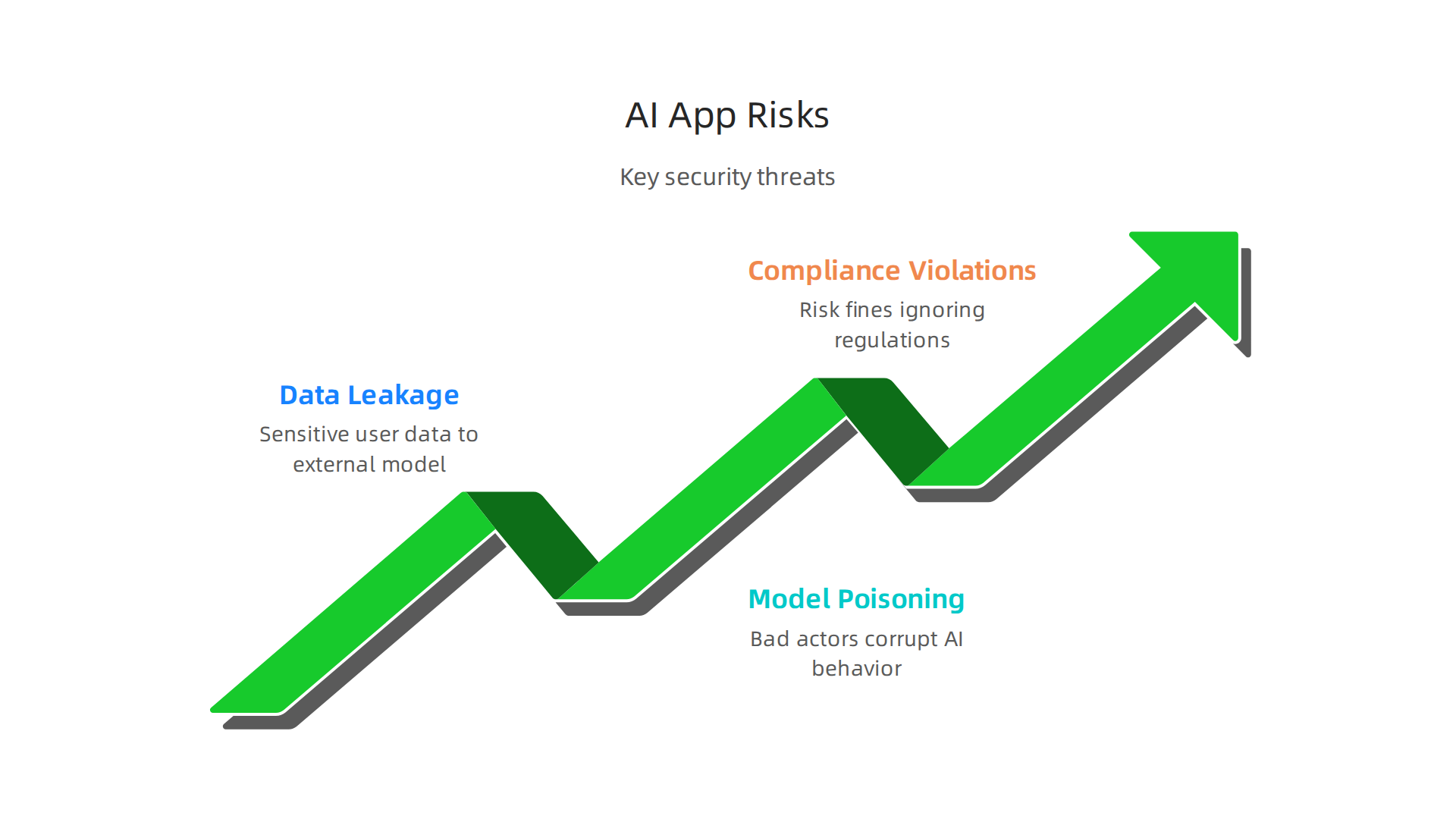
- Data leakage. Your app might send sensitive user data to an external model. If that model is not private, your data is exposed.
- Model poisoning. Bad actors can feed misleading data into your AI to corrupt its behavior over time.
- Compliance violations. Regulations like the EU AI Act now require you to document how your AI works and what data it uses. If you ignore these rules, you risk fines.
Generative AI has already reached 53% population adoption within three years. That is faster than the PC or the internet. With that growth, regulators are paying close attention.
Best Practices to Stay Safe
You do not have to avoid AI. You just need to build with security in mind.

- Audit your AI outputs regularly. Check that your app does not produce harmful or biased results. Set up automated monitoring.
- Consider on-premises options. If your data is sensitive, run models on your own servers instead of the cloud.
- Create clear governance policies. Your team needs rules about what data can be sent to AI models, who can approve deployments, and how to handle incidents.

Our guide on the future standard for AI implementation covers exactly how to build these policies.
Remember, ai app development should include security reviews at every stage. Do not wait until launch.
How Regulations Affect Your Tool Choice
The EU AI Act is the most visible framework, but other regions are following. These laws classify AI apps by risk level. High-risk apps need strict testing, documentation, and human oversight.
When you pick a platform or model, check if it is designed for compliance. Some cloud providers offer certified environments. Others do not. If your ai apps serve European users, you must respect these rules from day one.
Tools and Resources to Help
To scale your secure AI apps, platforms like upscale ai can manage infrastructure with built-in compliance features. If your team needs to learn security best practices quickly, resources such as youlearn ai or producer ai offer focused courses. Staying ahead on regulations is easier when you have daily updates.
That is why we recommend the The Deep View Newsletter. It delivers clear, daily AI news covering security, compliance, and the latest tools. In a fast-moving field, a trusted source can save you from costly mistakes.
Summary
This article gives a practical, hands-on guide to the most impactful AI apps for developer productivity in 2026, cutting through hype to show what actually helps teams ship better software faster. It surveys the mature landscape—code generators, in-editor assistants, AI testing, DevOps automation, and low-code platforms—using benchmarks, user feedback, and real tests to compare tools like GitHub Copilot, Cursor, and Tabnine. You’ll learn the metrics that matter (code acceptance, latency, privacy), where each tool shines or falls short, and how AI is changing testing, deployment, and app-building workflows. The piece also covers integration and cultural challenges, trade-offs between open-source and commercial options, and practical security and compliance steps to adopt AI safely. After reading, you’ll be able to evaluate which assistants and workflows fit your team, set sensible governance, and pick the right low-code or custom path for your projects.